
Keeping track of employee hours is no longer just about punching in and out; it’s about smarter scheduling, accurate payroll, and understanding how your team works best. As remote and hybrid work continue to grow in 2025, choosing the right time tracking app can make a big difference in productivity and employee satisfaction.
This guide highlights 15 of the best employee time tracking apps for small businesses. Each one is handpicked based on ease of use, reporting quality, mobile compatibility, and pricing flexibility.
Rather than just listing features, we’ll walk through what each app does best, what to watch out for, and how to decide which one fits your team’s workflow. Whether you’re managing remote employees or a small in-office crew, there’s a tool here that’ll help you save time and boost accountability.
How to Choose the Best Employee Time Tracking App
Selecting the right employee time tracking app is essential for business efficiency. Focus on solutions offering a simple interface, reliable accuracy, and mobile compatibility. Prioritize core features like automated reporting, payroll integration, and project tracking.
Consider business size and team needs, apps like Excel for remote teams, some for office-based businesses. Look for scalable pricing and robust support. Security and data privacy are equally important. The best apps balance usability with meaningful insights, so choose one that fits workflows and company goals.
Best 5 Time Tracking Apps for Small Business
Efficient time tracking is crucial for small businesses focused on productivity and accountability. Here are top picks to help you manage attendance, payroll, and staff performance with ease.
At a Glance
- Tipsoi: Best for user-friendly attendance and payroll management
- Toggl Track: Best for versatile integrations and simple time tracking
- Clockify: Best free plan with unlimited tracking and reporting
- TSheets (QuickBooks Time): Best for seamless QuickBooks integration and GPS tracking
- TimeCamp: Best for detailed project tracking and invoicing
1. Tipsoi
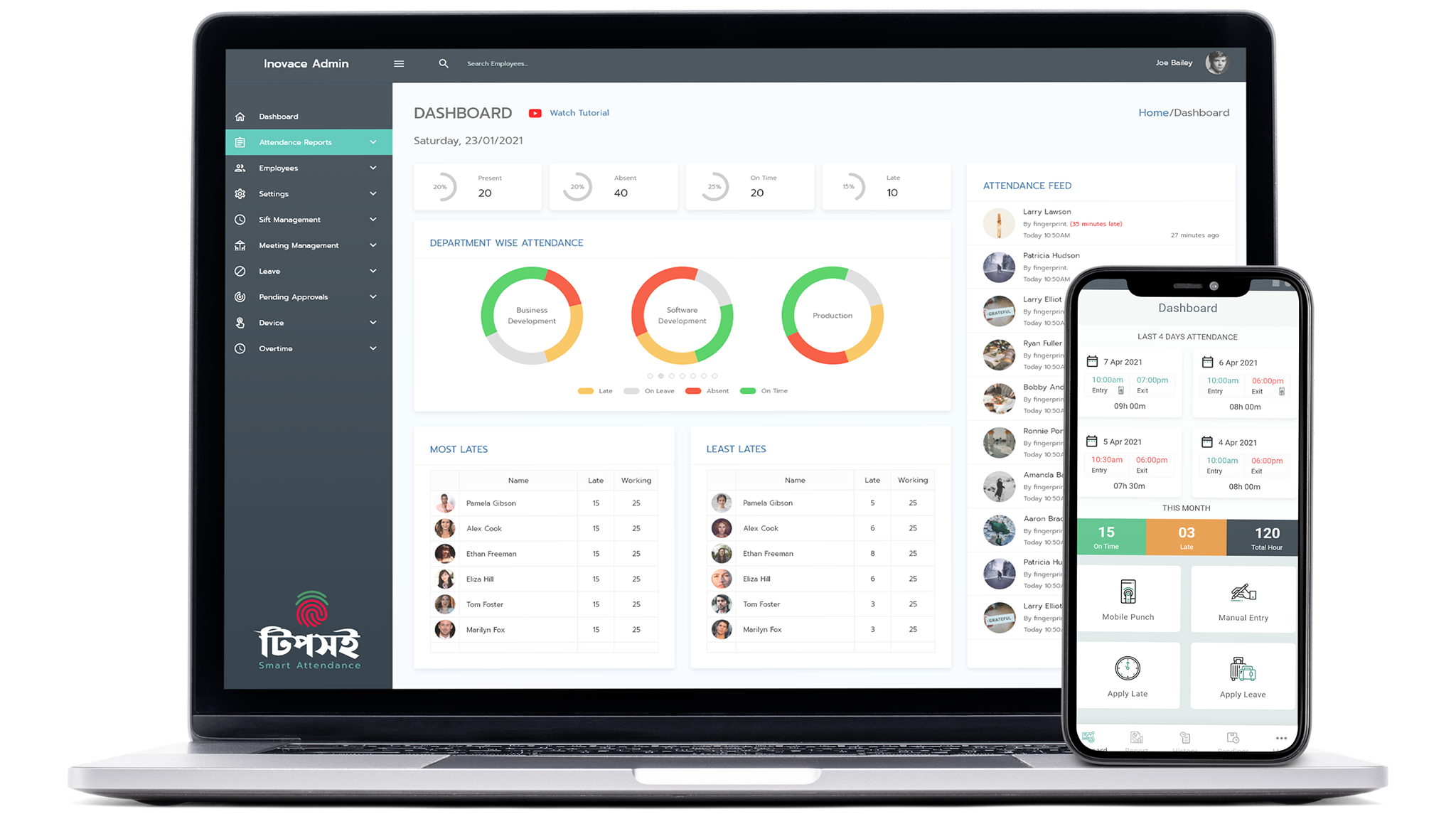
Tipsoi is a user-friendly time tracking solution tailored for small businesses. It streamlines employee attendance, payroll management, and workflow oversight. The platform offers real-time attendance reports, location-based tracking, and seamless integration with payroll systems. With dedicated Android and iOS support, Tipsoi helps businesses ensure accuracy and accountability for their teams.
Key Features:
- Easy clock-in/clock-out
- Real-time attendance reporting
- Location & geofencing
- Automated payroll integration
- Mobile support
- Secure data handling
- Cross-platform support for Android and iPhone
Pricing: Flexible packages are available, including free trials. Plans scale with business size.
Pros:
- Intuitive user experience
- Comprehensive reports and analytics
- Reliable security and privacy features
Cons:
- Occasional bugs on newer updates
- Initial learning curve for advanced features
Best For:
Small to midsize businesses seeking a modern, efficient tool for managing staff time and payroll.
2. Toggl Track
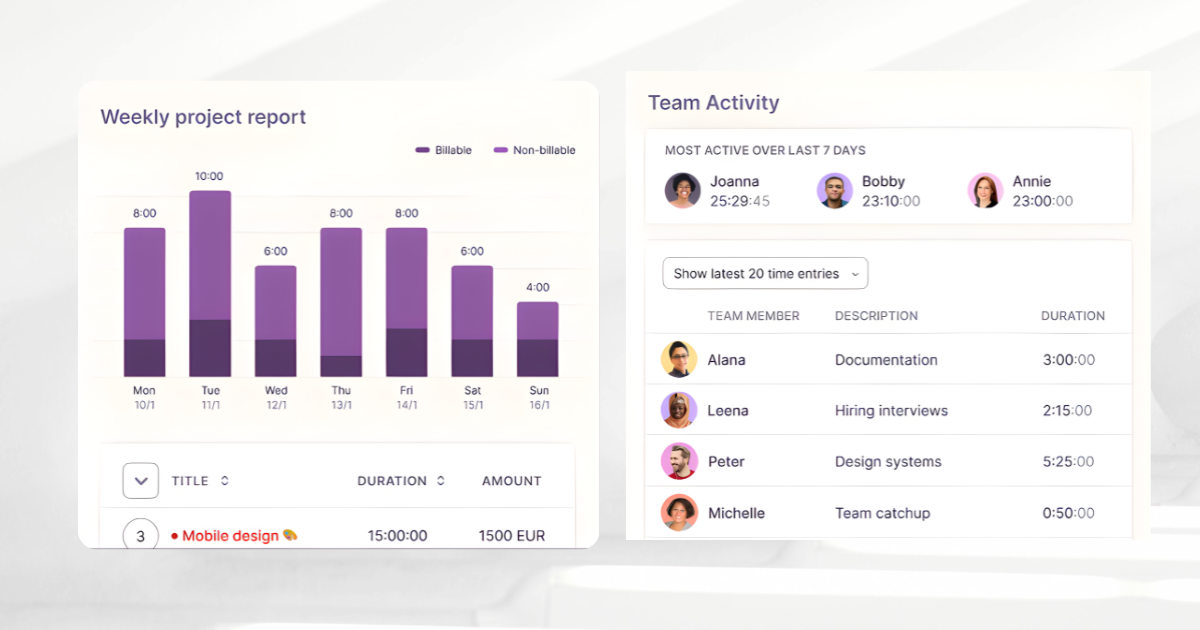
Toggl Track offers a straightforward, flexible platform ideal for businesses wanting effortless time tracking. With a single-click timer, extensive integrations, and powerful reporting features, it helps track billable hours and manage projects with ease.
Key Features:
- One-click time tracking
- Detailed project and client reporting
- 100+ integrations (Slack, Asana, Trello, and more)
- Mobile, desktop, web support
- Customizable reminders and alerts
Pricing:
Free plan available; paid plans start from $9/user/month, offering advanced features like billable rates and team management.
Pros:
- Uncluttered, intuitive interface
- Comprehensive reports and export options
- Streamlined integrations for workflow automation
Cons:
- Limited advanced HR features
- Some learning time for advanced settings
Best For:
Businesses of any size seeking a flexible, easy-to-use solution that integrates smoothly with their existing toolset.
3. Clockify
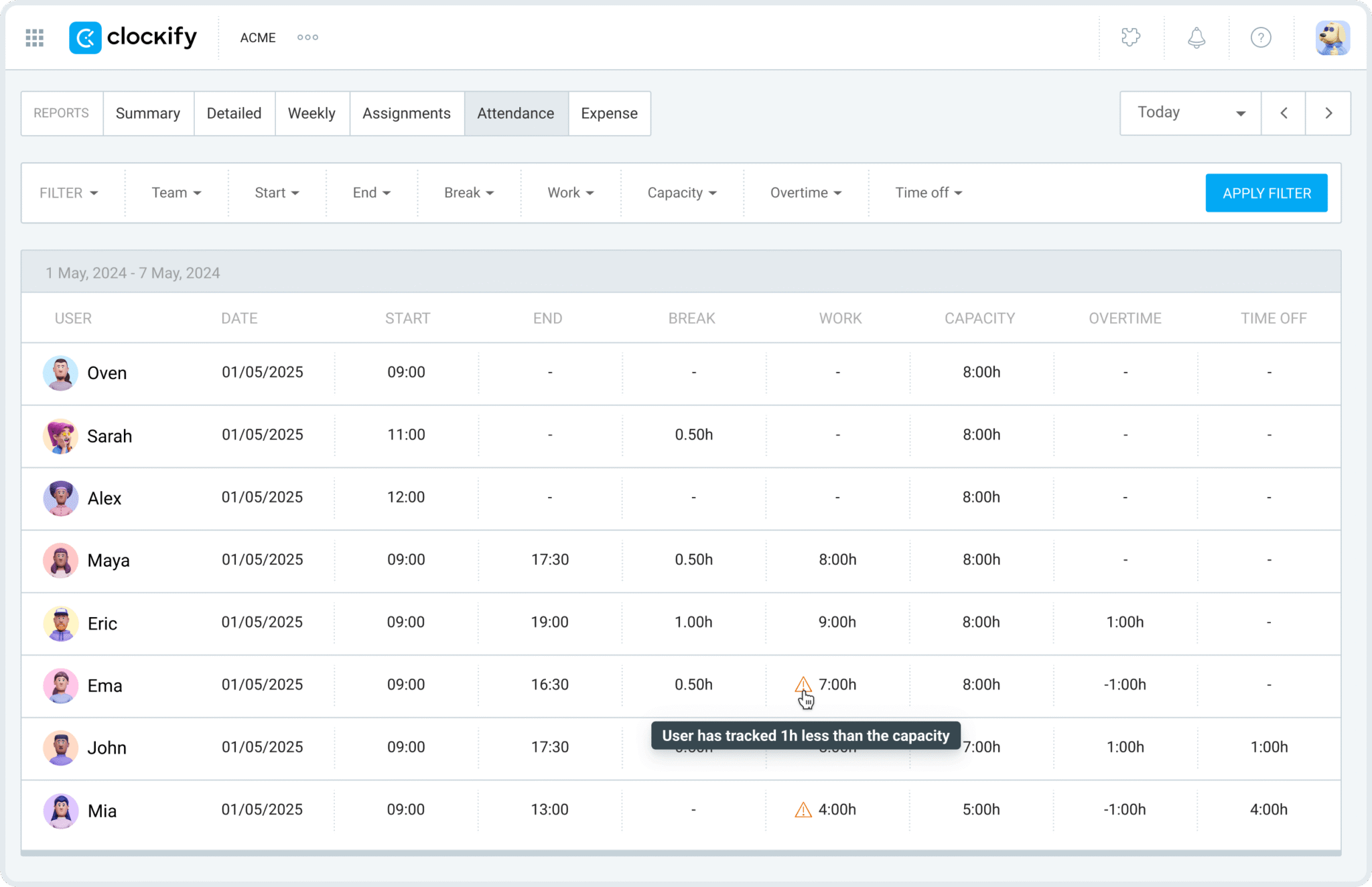
Clockify is a popular, entirely free time tracking app that supports unlimited users and projects. It offers comprehensive tracking tools, reporting, and integration capabilities ideal for small businesses and startups aiming for cost-effective scalability.
Key Features:
- Unlimited users, projects, and tracking
- Detailed reporting dashboards
- Project budgeting, billable hours, and invoicing tools
- Integrations with Slack, Asana, Trello, and more
- Available on web, desktop, and mobile devices
Pricing:
Robust free plan; paid plans (for advanced controls) start from $3.99/user/month.
Pros:
- No user caps on the free version
- In-depth analytics and exportable reports
- Flexible usage for teams of any size
Cons:
- UI can be overwhelming at first
- Some advanced features require a paid plan
Best For:
Startups and growing teams are looking for a flexible, feature-rich, and cost-efficient time tracking solution.
4. TSheets (QuickBooks Time)
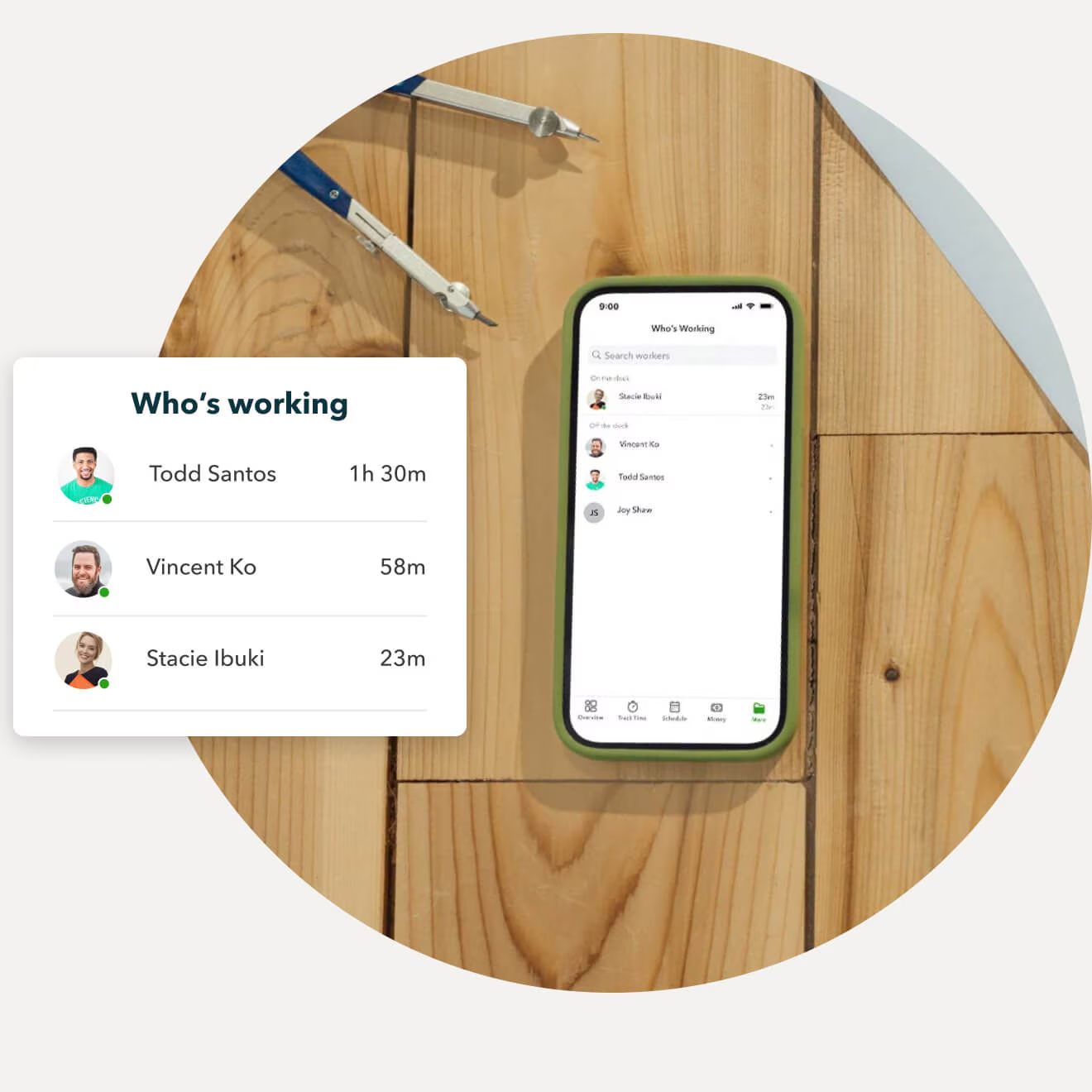
TSheets (QuickBooks Time) is a leading time tracking tool offering seamless integration with QuickBooks for payroll and invoicing. It provides GPS tracking, scheduling, and mobile support that benefits both in-office and field teams.
Key Features:
- Detailed time tracking with GPS and geofencing
- Advanced scheduling and shift planning
- Direct sync with QuickBooks payroll
- Mobile apps and notifications
- Overtime and PTO management
Pricing:
Plans start from $8/user/month plus a base monthly fee.
Pros:
- Extremely efficient for payroll and QuickBooks users
- Real-time location tracking for mobile teams
- Strong scheduling and alert options
Cons:
- Cost may add up for large teams
- GPS-based features depend on connectivity
Best For:
Companies already using QuickBooks or those needing GPS-enabled scheduling and timesheets for mobile workforces.
5. TimeCamp
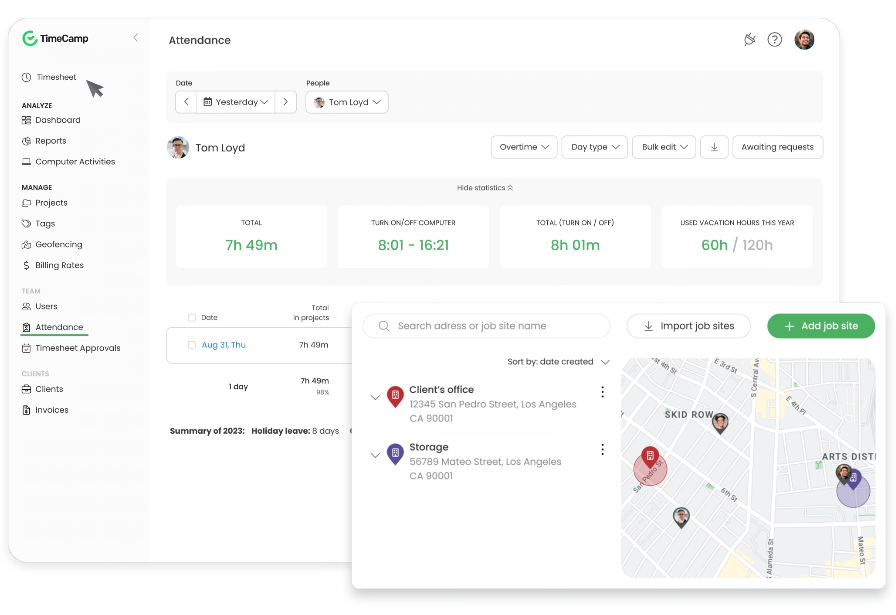
TimeCamp is a robust time tracking solution ideal for businesses needing deep project tracking, invoicing, and real-time productivity analysis. Its automatic activity tracking and flexible reporting make it a strong fit for businesses aiming to optimize project costs and resource allocation.
Key Features:
- Automated time tracking for multiple projects
- Real-time productivity and activity analysis
- Attendance, billing, and expense management
- Customizable reports and dashboards
- Integrations with popular project management tools
Pricing:
Offers a free plan; paid options start from $2.99/user/month, billed annually.
Pros:
- Intuitive project and invoice features
- Streamlined productivity insights
- Excellent value at a low starting price
Cons:
- The interface may feel cluttered with advanced options
- Full benefit comes with premium plans
Best For:
Small businesses, freelancers, and agencies seeking in-depth project and time analysis with scalable invoicing and billing support.
Employee Time Tracking Apps for Android and iPhone
Managing employee time on the go requires apps that are not only powerful but also mobile-optimised. These apps offer robust tracking, GPS capabilities, and seamless integration with payroll and project management tools, tailored for Android and iPhone users. Whether your team is remote, mobile, or working from the office, these top apps help you keep track of hours, attendance, and productivity with ease.
At a Glance
- Hubstaff: Best for GPS tracking and employee monitoring
- Desklog: Best for automatic activity tracking and productivity analysis
- Timely: Best for virtual task planning and automatic tracking
- Connecteam: Best for employee communication and scheduling, alongside tracking
- Apploye: Best for remote team productivity and detailed time reports
6. Hubstaff
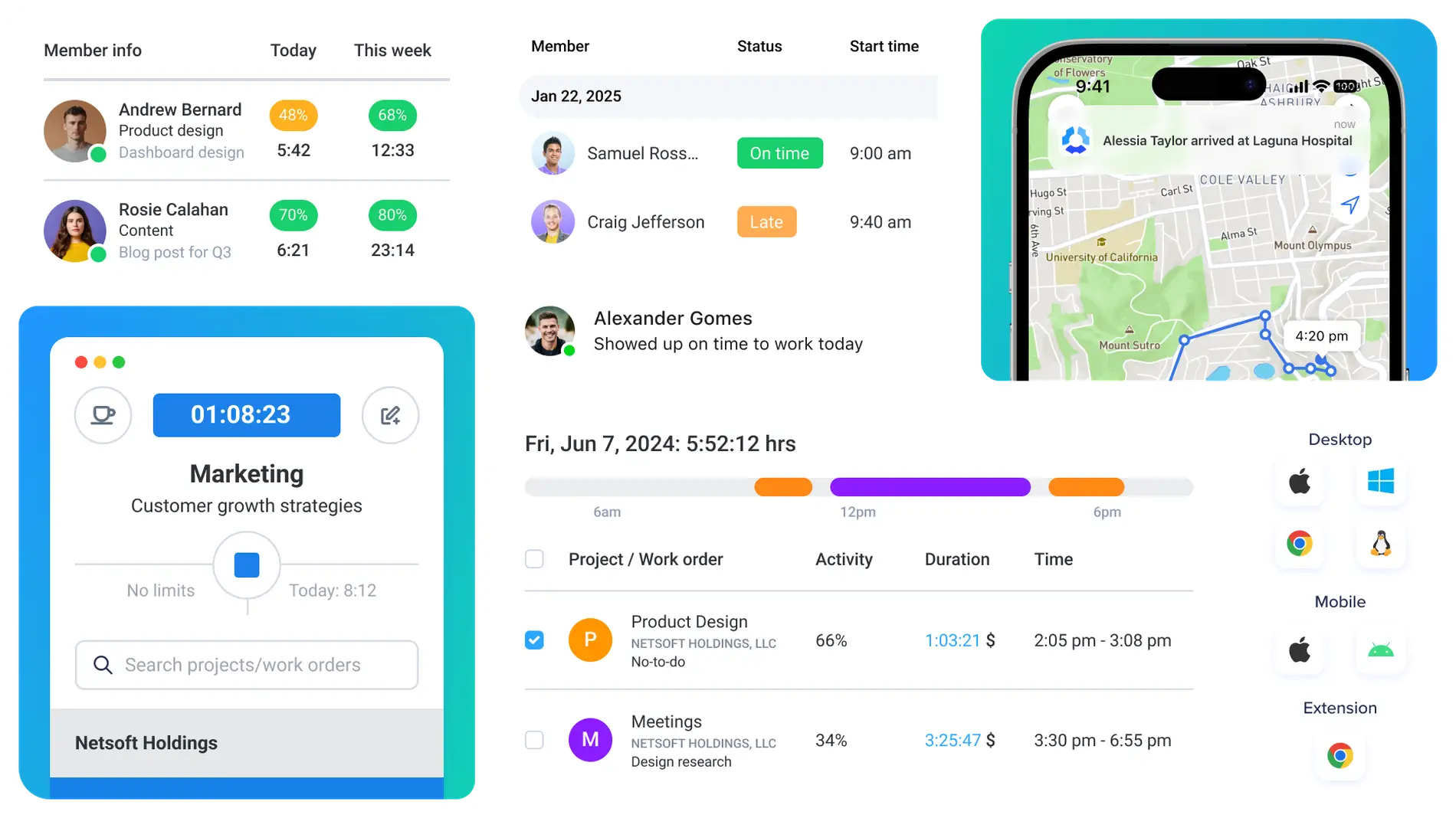
Hubstaff is a powerful, mobile-friendly time tracking app that combines GPS location tracking with employee monitoring. It is ideal for remote and field teams, providing detailed timesheets, productivity reports, and seamless payroll integrations.
Key Features:
- GPS location tracking and geofencing
- Employee monitoring with activity levels
- Timesheets and automatic payroll
- Mobile apps with offline mode
- Integrations with over 30 business tools
Pricing:
Plans start from $7/user/month, billed annually, with a free trial available.
Pros:
- Strong monitoring and location tracking features
- Flexible payroll and invoice automation
- Supports remote and mobile workforces effectively
Cons:
- Higher pricing compared to simpler apps
- Some features require learning time
Best For:
Businesses with remote or mobile teams need comprehensive tracking and workforce management.
7. Desklog
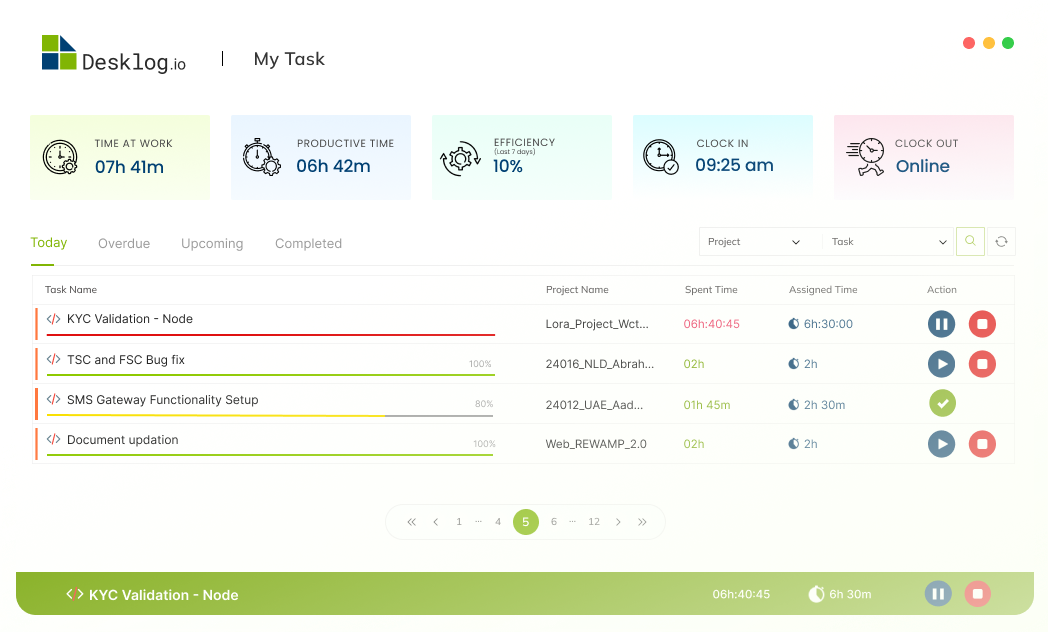
Desklog is a productivity-focused time tracking app that provides automatic activity monitoring and detailed analytics. It helps businesses track employee work hours, app usage, and website visits, enabling better productivity insights.
Key Features:
- Automatic tracking of work hours and idle time
- Productivity analysis with app and URL tracking
- Project and task management
- Screenshot capture and activity monitoring
- Mobile apps for Android and iPhone
Pricing:
Free plan available; paid plans start from $2.99/user/month.
Pros:
- Excellent productivity monitoring features
- Automated tracking reduces manual entries
- Affordable pricing for small teams
Cons:
- The interface can be complex for new users
- Privacy concerns with screenshot monitoring
Best For:
Organizations focused on boosting productivity through detailed activity monitoring on mobile devices.
8. Timely
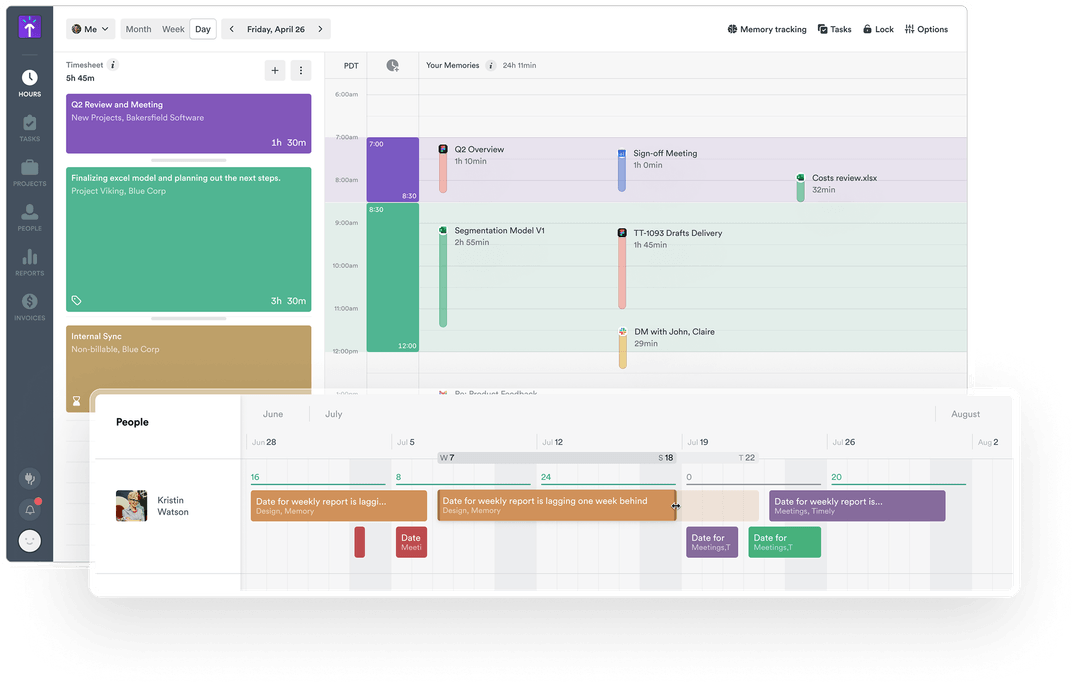
Timely is a unique time tracking app designed for automatic tracking and virtual task planning. It helps teams and individuals capture work hours without manual input, making it ideal for busy professionals and remote teams.
Key Features:
- Automatic time tracking with AI
- Visual task timeline and calendar
- Project and client management
- Collaboration and notes
- Cross-platform support for Android and iPhone
Pricing:
Plans start at $8/user/month with a 14-day free trial.
Pros:
- Minimal manual input needed
- Excellent for remote and creative teams
- Intuitive interface with smart scheduling
Cons:
- Higher cost compared to some competitors
- Limited offline functionality
Best For:
Professionals and teams want automated time capture with task planning and collaboration tools.
9. Connecteam
Connecteam is a versatile employee management app designed for mobile teams. It provides comprehensive time tracking, communication, and scheduling features, making it ideal for businesses needing more than just attendance logging.

Key Features:
- Precise GPS time tracking with geofencing
- Shift scheduling and task management
- Internal chat and announcement features
- Forms, checklists, and document sharing
- Android and iPhone compatibility
Pricing:
Free plan available for small teams; paid plans start at $29/month for up to 30 users.
Pros:
- All-in-one platform: tracking, communication, and scheduling
- User-friendly mobile interface
- Excellent for distributed and non-desk teams
Cons:
- Pricing may not scale for larger organizations
- Some advanced features are only available in higher tiers
Best For:
Mobile, frontline, and deskless teams need communication and management, along with time tracking.
10. Apploye
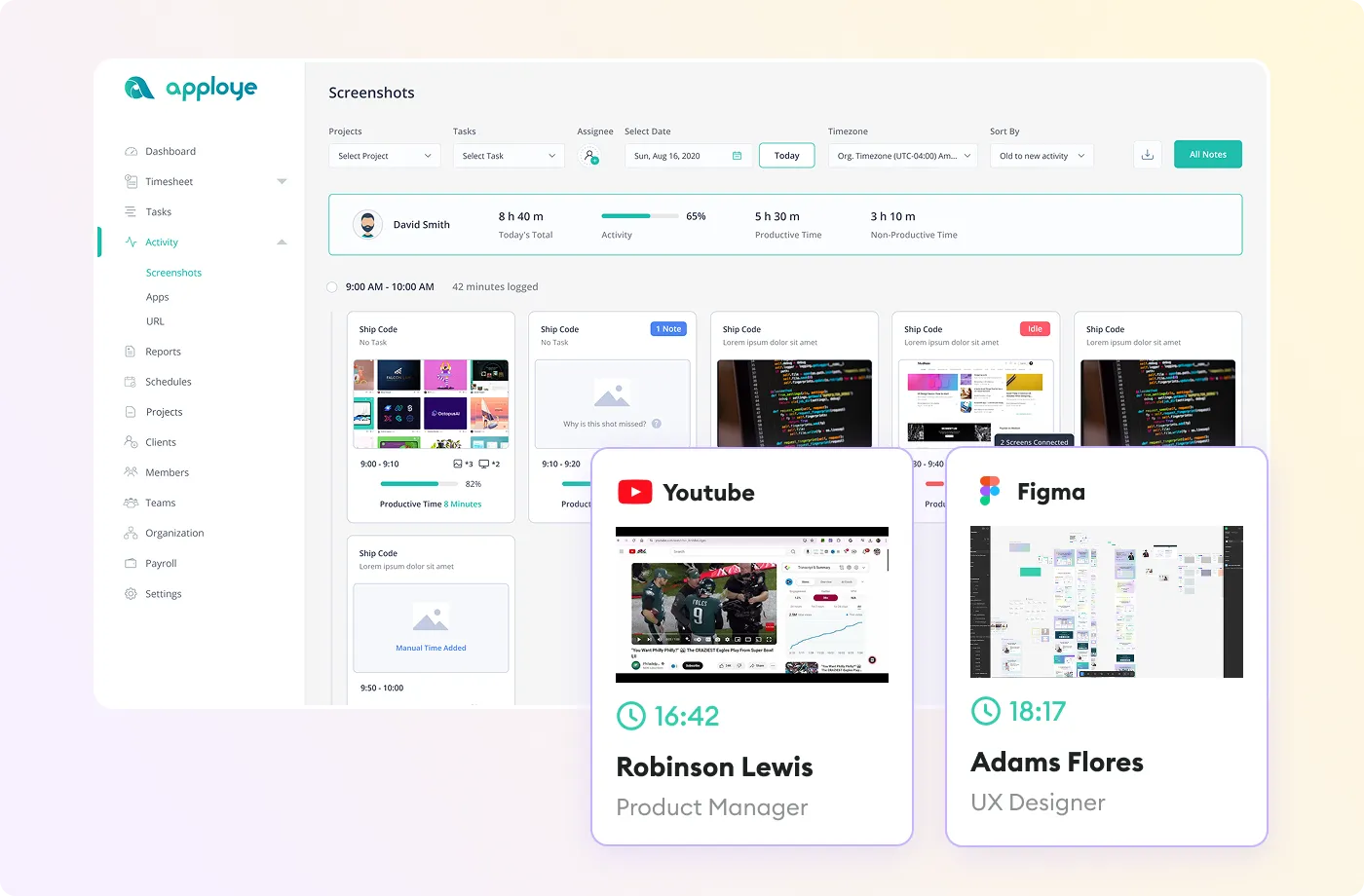
Apploye is a robust time tracking and productivity app designed for distributed and remote teams. It offers intuitive tracking, deep productivity reporting, and versatile project management—all from mobile and desktop devices.
Key Features:
- One-tap clock-in/clock-out with GPS and geofencing
- Detailed productivity and idle time analysis
- Screenshots, app/website usage tracking
- Project and task-based reporting
- Android and iPhone support
Pricing:
Plans start from $2/user/month, billed annually, with a 10-day free trial available.
Pros:
- Affordable pricing with rich functionality
- Comprehensive productivity and time reports
- User-friendly mobile and desktop experience
Cons:
- May be feature-rich for very simple needs
- Some features depend on strong internet connectivity
Best For:
Remote teams and SMBs seeking flexible, analytics-driven time management with real-time visibility.
Best 5 Free Time Tracking Apps
For small businesses and individuals watching their budgets, free time tracking software offers robust functionality without the cost. The top free apps deliver essential tools for attendance, project management, and productivity, all without a monthly subscription. Here are the best free time tracking solutions currently available:
At a Glance
- Clockify: Best all-around, completely free plan with unlimited users and projects
- Toggl Track: Best for intuitive interface and integration support (has a generous free plan)
- RescueTime: Best for automatic tracking and productivity feedback
- Harvest: Best for basic tracking and lightweight invoicing (free for 1 user & 2 projects)
- TimeCamp: Best for essential time tracking and reporting on a free plan
11. Clockify
Clockify stands out as the most generous free time tracking app, offering unlimited users, projects, and time entries at no cost. Its suite of features covers essential needs for teams and individuals who want reliable hourly tracking, reporting, and project oversight, all with no paywall for core functionality.
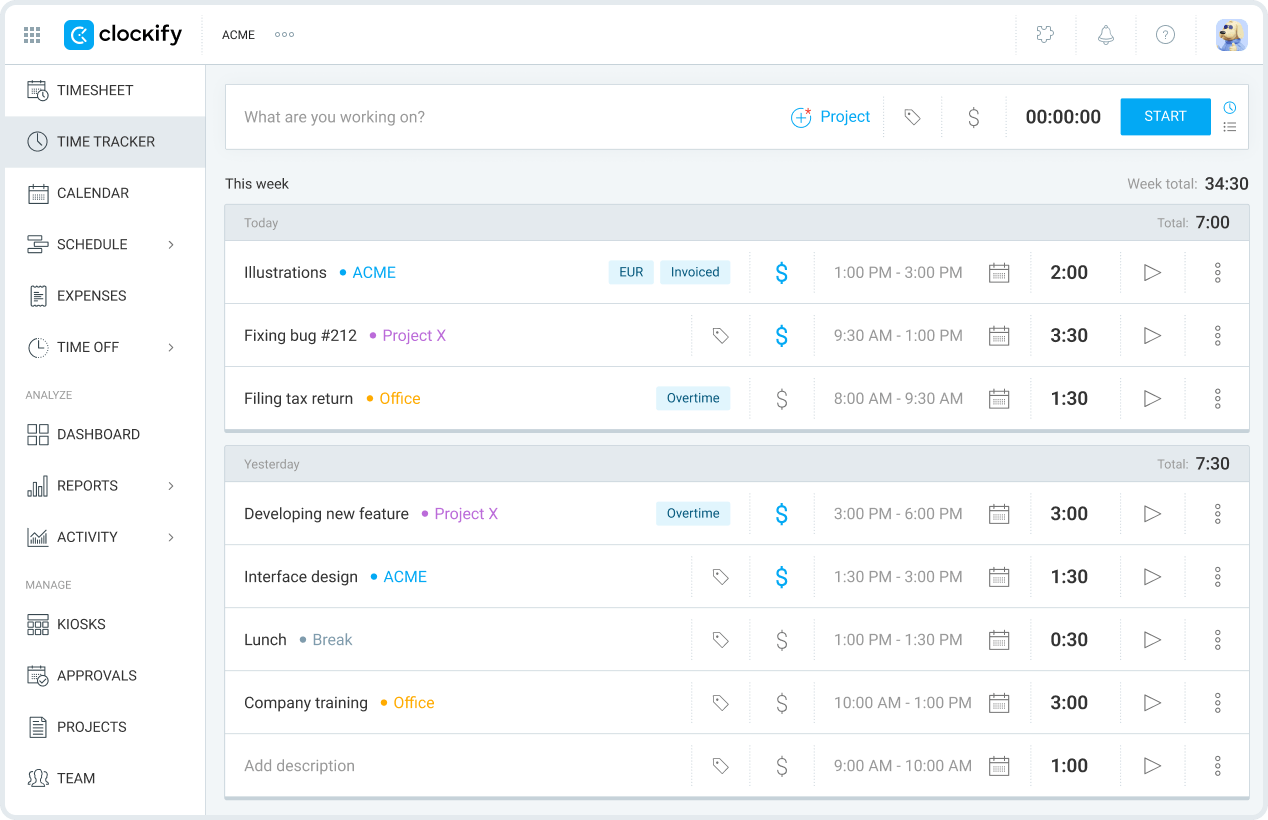
Key Features:
- Unlimited users and projects
- Time tracking via web, mobile, desktop, and browser extension
- Project, task, and client management
- Reporting dashboard with export options
- Team management and attendance tracking
Pricing:
Completely free for core time tracking, reporting, and unlimited team members. Paid upgrades add advanced administration and budgeting, but most essentials are available at no cost.
Pros:
- No limits on users/projects
- Robust reporting, even on the free plan
- Multi-platform and easy to set up
Cons:
- Advanced features like reminders or forecasting require paid upgrades
- The interface can be overwhelming for very simple needs
Best For:
Teams, freelancers, and SMBs seeking an actually free, highly functional time tracking solution.
12. Toggl Track
Toggl Track is popular for its clean design and easy workflow, featuring a free plan that supports basic time tracking needs for small teams and individuals. Its user-friendly interface, seamless integration options, and offline mode make it a favourite for freelancers and businesses alike.
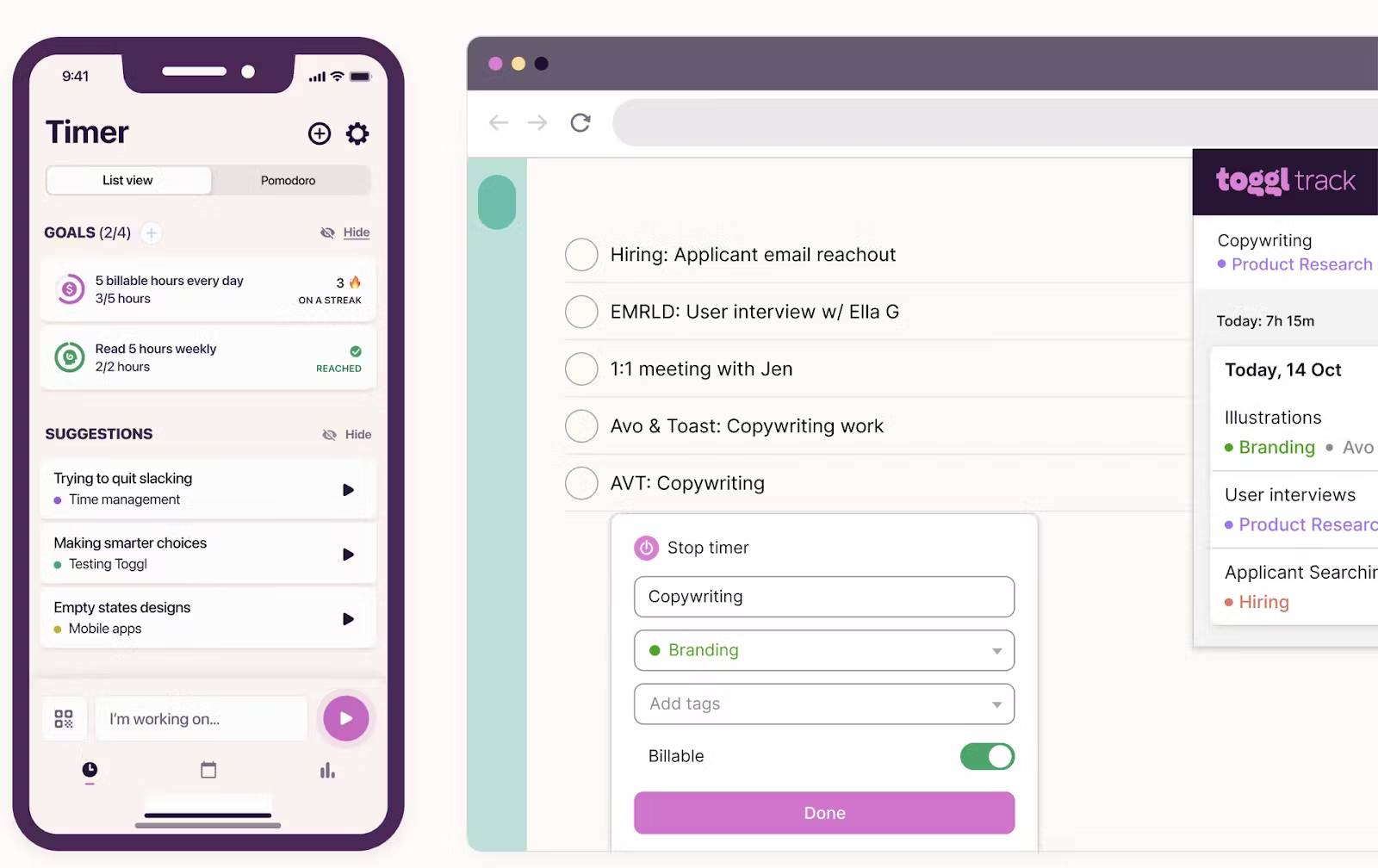
Key Features:
- Timer-based and manual time entry
- Unlimited projects/clients on the free plan
- Basic reporting and project dashboard
- Over 100 integration options (Trello, Slack, etc.)
- Works on web, desktop, mobile, and browser extensions
Pricing:
Free forever plan includes unlimited time tracking for up to 5 users. Premium plans (with reminders, billable rates, and advanced reports) are available if you need scaling.
Pros:
- Simple, attractive, and intuitive
- Excellent integration ecosystem
- Suitable for both solo users and small teams
Cons:
- The free plan doesn’t include billable rates or client reporting
- Some workflow automations require upgrades
Best For:
Freelancers, startups, and creative professionals who prioritize ease of use and flexibility over advanced reporting.
13. RescueTime
RescueTime is known for its automatic tracking and insightful productivity feedback. It passively tracks app and website usage in the background so users can understand how their time is spent and receive coaching tips to reduce distractions.
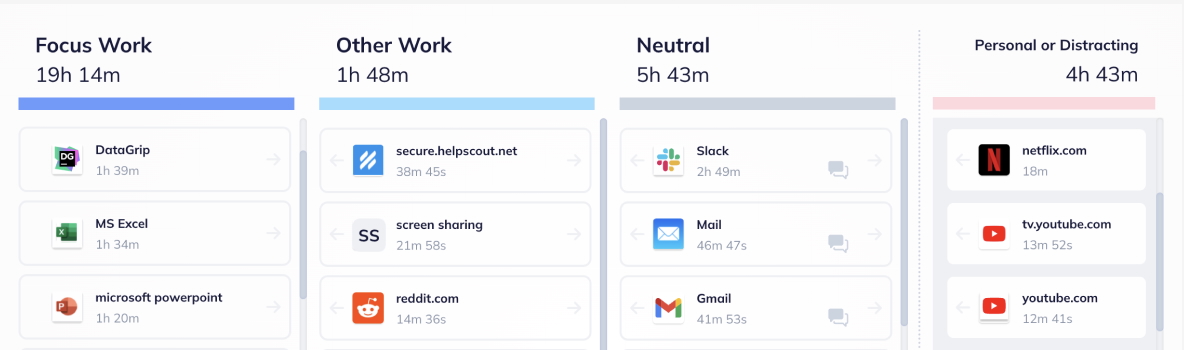
Key Features:
- Automatic tracking of apps, websites, and activities
- Productivity scores and daily/weekly reports
- Focus sessions for distraction-free work
- Goal-setting and alert functions
- Works on Windows, Mac, Linux, Android
Pricing:
Free Lite plan includes website/app tracking, productivity scoring, and basic weekly reports. Paid plans deliver detailed historical data, goal coaching, and more advanced focus tools.
Pros:
- Zero manual entry needed for time tracking
- Great for identifying time drains and distractions
- Automated, runs seamlessly in the background
Cons:
- No manual task or project entry on free plan
- Requires trust in sharing usage data with the platform
Best For:
Individuals and professionals want effortless productivity insights and less distraction, without manual tracking overhead.
14. Harvest
Harvest provides simple time tracking and invoicing, making it ideal for freelancers or small teams with limited projects. Its free plan allows tracking for one user across two active projects, supporting basic time, expense, and client management.
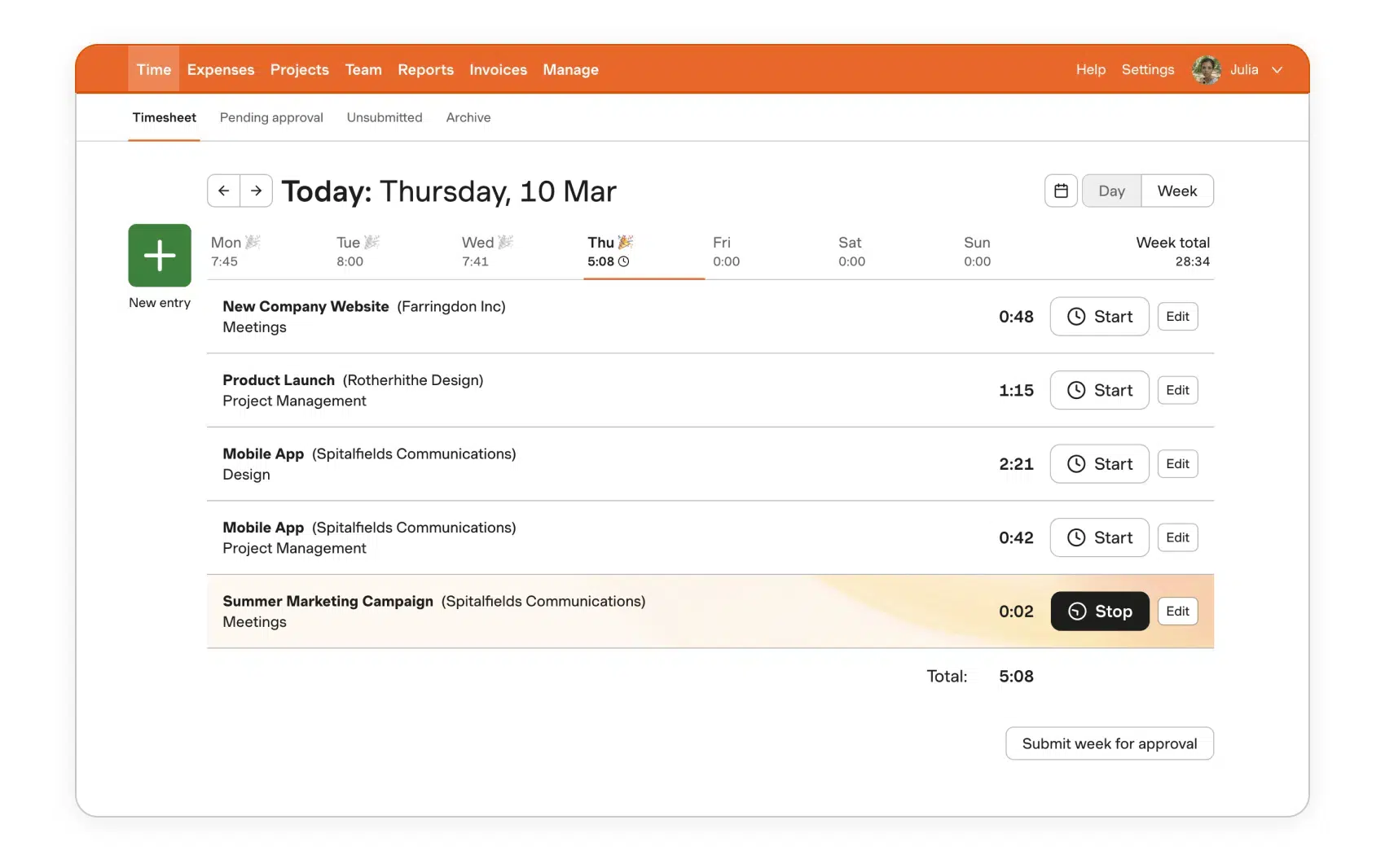
Key Features:
- Time and expense tracking
- Invoice creation and basic reporting
- Supports multiple devices (web, mobile apps)
- Client and project management
- Integration with tools like Trello, Asana, and Slack
Pricing:
Free for 1 user and up to 2 active projects. Paid plans allow unlimited users and projects, plus advanced reporting.
Pros:
- Intuitive for small projects and solo users
- Built-in invoicing and client management
- Easy-to-use across mobile and desktop
Cons:
- The free plan is very restrictive for larger teams
- Advanced features and scalability require paid plans
Best For:
Freelancers and small businesses with simple billing and project tracking needs.
15. TimeCamp
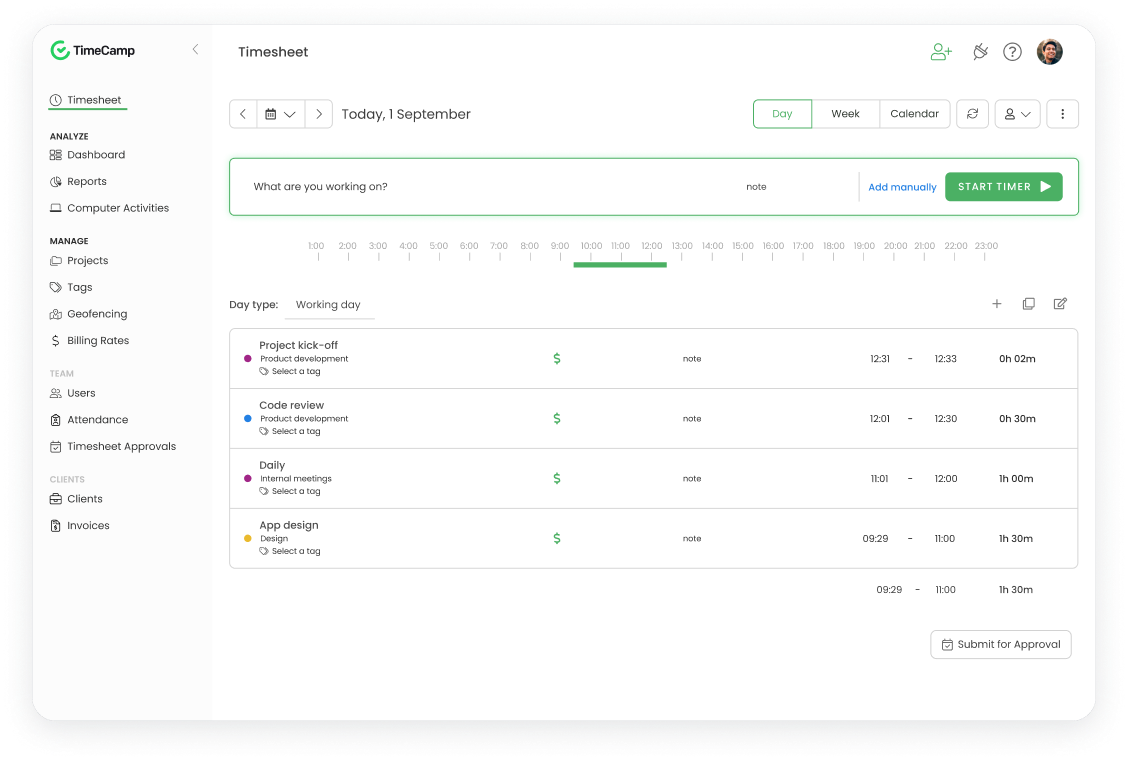
TimeCamp offers a robust free plan with unlimited users and projects, making it an excellent choice for teams and freelancers seeking comprehensive time tracking at no cost. Its features balance automatic tracking with detailed reporting and flexible project management.
Key Features:
- Unlimited users, projects, and tasks on the free plan
- Automatic time tracking with keywords and idle detection
- Detailed timesheets and reporting, including Excel export
- GPS location and geofencing
- Attendance, time-off, and overtime tracking
- Web, desktop, and mobile apps (including kiosk mode)
- Integration with popular tools and one integration for paid plans
Pricing:
- Free plan: $0/user with core tracking features
- Starter: $2.99/user/month (billed annually), adds invoicing, attendance, bulk edit, and more
- Premium: $4.99/user/month includes apps & websites tracking, budgeting, and billable time
- Ultimate: $7.99/user/month includes screenshots, timesheet approvals, unlimited integrations, and advanced reports
- Enterprise: Custom pricing with additional enterprise features and support
Pros:
- Generous free plan with unlimited users/projects
- Comprehensive features covering tracking, billing, and attendance
- Low-cost paid plans with strong feature sets
Cons:
- Interface complexity may require some ramp-up time
- Some advanced features are available only on higher tiers
Best For:
Teams and freelancers are looking for a cost-effective, all-in-one time tracking and management solution with scalable features.
Special Features & Innovations in 2025
Time tracking apps in 2025 are evolving beyond basic punch-in, punch-out functionality, introducing cutting-edge features to enhance productivity, compliance, and team wellbeing. The best new innovations include:
- Automatic Time Tracking with AI: Apps like Timely and RescueTime now use AI to passively record work without manual timers, detecting activity types for smarter logging and project mapping.
- Automated Project and Client Tagging: Intelligent tagging categorizes entries automatically based on content, making reporting and auditing easier than ever.
- Productivity Analytics: Many platforms (Desklog, TimeCamp) offer deep analytics, showing not just hours worked, but application usage, focus vs. distraction metrics, and personalized feedback.
- Geofencing & GPS Automation: With built-in location awareness, apps like Hubstaff and Apploye automatically clock employees in and out as they arrive or leave work locations, improving accuracy for mobile teams.
- Wellness and Break Monitoring: Some 2025 tools (RescueTime, Connecteam) provide proactive wellness nudges, break scheduling, and fatigue detection to support a healthier work-life balance.
- Seamless Payroll and Billing Integration: Fast, automated syncing with leading HR and payroll systems ensures fewer errors and instant payroll cycles, as seen in TSheets (QuickBooks Time) and Clockify.
- Privacy-first Tracking: Platforms increasingly prioritize user privacy, offering selective tracking modes, full transparency, and strong data protections.
- Multi-device Sync & Offline Mode: All top apps now support instant sync across devices, auto-uploading when the internet is restored.
These innovations set apart the best time tracking solutions and are rapidly becoming industry standards for businesses focused on both performance and employee experience.
Buyer’s Guide
Choosing the right time tracking app means balancing your business goals, technical needs, and employee preferences. Consider these key factors before making a decision:
What to Consider
- Ease of Use: Select platforms with intuitive interfaces and quick onboarding for your team.
- Mobile Compatibility: Ensure apps work seamlessly on both Android and iPhone if your staff is frequently on the move.
- Scalability: Look for flexible plans that allow you to add more users or features as your business grows.
- Tracking Methods: Decide whether you need manual timers, AI-driven automation, or GPS-based tracking for your workflows.
- Reporting & Analytics: Strong reporting lets you monitor productivity, analyze costs, and adjust project schedules easily.
- Integration: Confirm each app integrates smoothly with payroll, HR, or project management tools you already use.
- Privacy & Security: Choose solutions that protect employee data and offer customizable tracking consents.
- Support & Documentation: Prioritize platforms with responsive customer support and thorough user guides.
- Cost: Compare free vs. paid plans, factoring in core features, billing options, and the total cost for your team size.
Expert Tips
- Test several free trials to see how each app fits your workflow before full deployment.
- Involve key employees in the selection process to gather feedback and minimize resistance.
- Regularly review your app’s performance and user satisfaction, staying open to switching as needs evolve.
By focusing on these criteria, you’re more likely to select a solution that matches both your operational needs and the preferences of your team.
Additional Frequently Asked Questions (FAQs)
1. Are free time tracking apps reliable for business use?
Yes, many leading free time tracking apps like Clockify, TimeCamp, and Toggl Track provide solid core features, unlimited users, and basic reporting, making them suitable for most SMBs. Advanced features usually require a paid plan.
2. Can these apps track remote or mobile employees accurately?
Most top apps support GPS-based tracking, mobile apps, and geofencing, delivering accurate records for both in-office and remote staff.
3. How do time tracking apps protect employee privacy?
Modern tools increasingly offer privacy-first modes, user consent features, clear data policies, and the ability to limit or customize what’s tracked.
4. What is the best time tracker for employees?
Clockify, TimeCamp, and Toggl Track are consistently rated the best due to ease of use, flexibility, and robust free plans. Choice depends on your team’s needs for reporting, mobile access, or integration.
5. Is Clockify 100% free?
Yes, Clockify offers a 100% free plan covering unlimited users, projects, and time entries. Advanced functions like reminders, admin controls, or custom billing are available as paid upgrades
6. What is the best free app to track employee attendance?
Clockify and TimeCamp are the top picks for free attendance tracking, supporting unlimited users and projects with web, mobile, and desktop interfaces.
7. How do you track employee time in the field?
Apps like Hubstaff, Apploye, and Connecteam provide GPS-based tracking and geofencing, letting you see when field employees arrive, leave, or move between job sites.
Conclusion
Picking the right time tracking app really comes down to how your team operates day to day. If you want a free and flexible option, Clockify is hard to beat. For deeper productivity insights, Timely or RescueTime might be your go-to. And if you manage field or remote teams, Hubstaff or QuickBooks Time are excellent for GPS tracking and payroll sync.
The best way to choose?
- Define your priorities. Do you need GPS tracking, automatic timers, or payroll integration?
- Test a couple of free trials, see how your team reacts to the interface and reports.
- Compare real usage data, how easy it is to set up, mobile access, and reporting?
Small adjustments, like finding an app your team actually enjoys using, can have a big impact on productivity and accuracy.