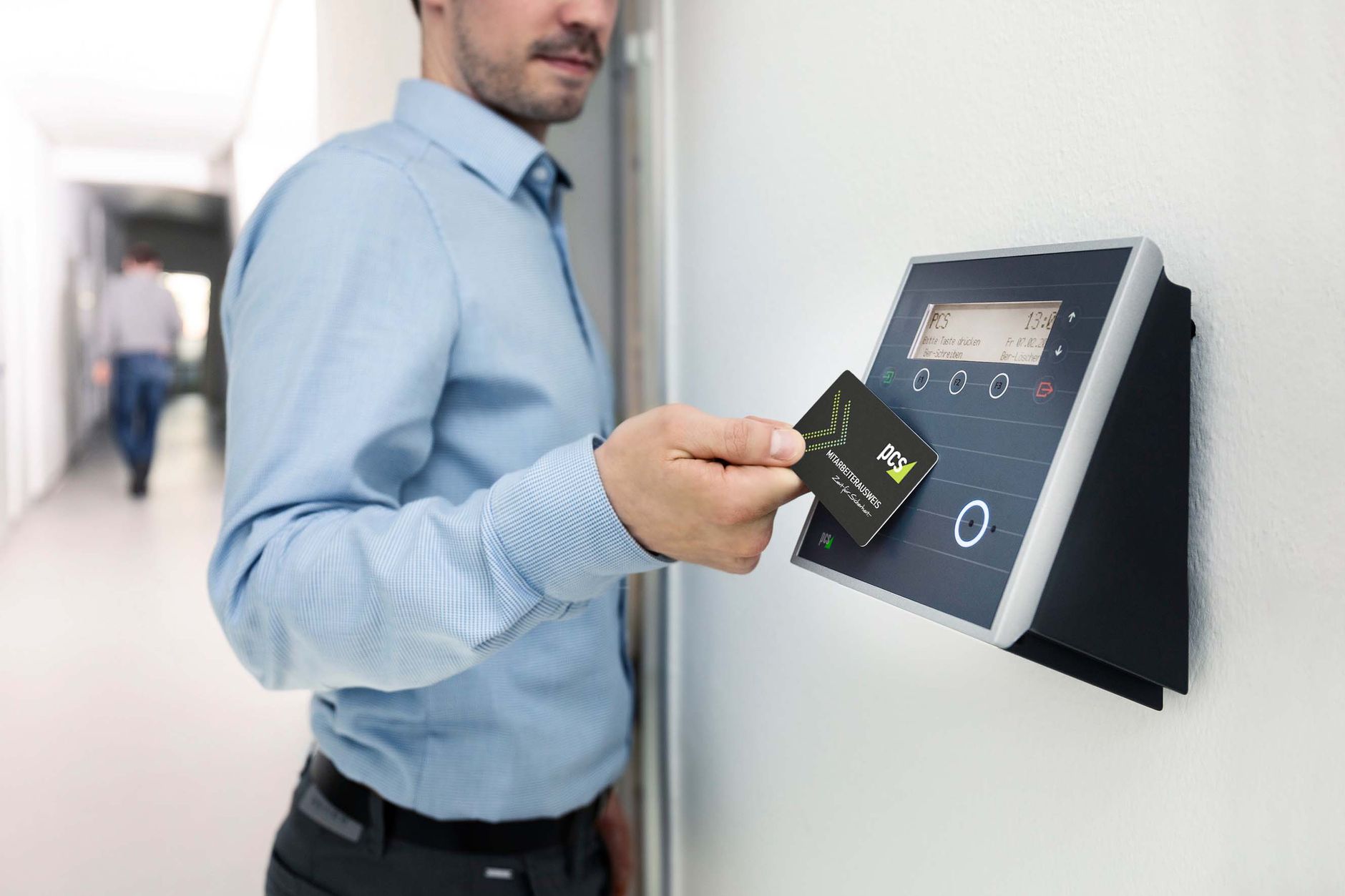


A visitor management system (VMS) is a digital solution that replaces the paper visitor register with an automated, cloud-based process. It records who enters your facility, when they arrive, who they are visiting, and when they leave. Modern systems add QR code check-in, host notifications, photo capture, badge printing, and a fully searchable audit trail.
Think about the last time a stranger walked into your office, scribbled an unreadable name in a notebook, and disappeared into a corridor. No one verified their identity. No one notified the host. No one tracked when they left. Across Bangladeshi corporate offices, factories, hospitals, and residential complexes, that scenario repeats hundreds of times every day. It is not just inconvenient; it is a genuine security gap.
The good news: replacing a paper register is easier and more affordable than most facility managers expect. In this guide, you will learn exactly what a visitor management system does, which features matter for Bangladeshi businesses, what the full cost looks like (from BDT 50,000 for basic setups to BDT 2,50,000 for enterprise deployments), and how to choose and deploy the right system for your facility.
What Is a Visitor Management System?
Key Takeaways
✓ A visitor management system replaces your paper register with a structured digital process covering pre-registration, check-in, host notification, and check-out.
✓ Digital systems eliminate illegible handwriting, lost records, and unverified identity claims that paper registers cannot prevent.
✓ The global VMS market was valued at USD 2.16 billion in 2025 and is growing steadily, with South and Southeast Asia driving fast adoption.
✓ Bangladesh’s growing corporate, manufacturing, and healthcare sectors are accelerating demand for structured visitor control in 2026.
Visitor Management Explained: Manual vs Digital
A manual visitor management process relies on a paper logbook at the front desk. The receptionist or security guard writes the visitor’s name, contact number, and purpose of visit by hand. The host is called on the intercom or mobile. The visitor waits. A handwritten pass is issued. This process is slow and inherently insecure.
A digital visitor management system replaces every one of those steps with a structured, automated workflow. The visitor pre-registers online or checks in on a tablet kiosk. The system verifies identity, captures a photo, prints a badge, and alerts the host via SMS or app notification. The entire check-in takes under 90 seconds. Every record is stored securely in the cloud, searchable, and exportable for audits.
| Factor | Paper Register | Digital VMS |
| Check-in speed | 3 to 8 minutes | Under 90 seconds |
| Identity verification | None | ID scan, photo capture, watchlist check |
| Host notification | Manual phone call | Instant SMS, email, or app alert |
| Audit trail | Paper logbook, easily lost | Searchable cloud database |
| Badge issuance | Hand-written pass | Printed badge with photo and QR code |
| Data accuracy | Prone to illegible entries | Structured, validated data fields |
| Compliance readiness | Difficult to prove | One-click export for any audit |
What a Visitor Management System Does and How It Works
At its core, a visitor management system does five things. First, it registers visitor information before or upon arrival. Second, it verifies that registration against an approved list or a watchlist. Third, it notifies the host. Fourth, it controls or records access to specific areas. Fifth, it logs the complete visit for compliance and reporting.
Modern systems connect directly to your access control hardware. When the system approves a visitor, it can automatically unlock the turnstile or door for that person, only for the areas they are permitted to enter. That integration closes the gap between a signed-in visitor and an unescorted visitor wandering through restricted zones.
The Complete Visitor Lifecycle: Pre-Registration to Check-Out
The visitor lifecycle in a digital VMS follows a clear sequence:
1. Pre-registration: The host sends a digital invite with a unique QR code or invite link.
2. Arrival and check-in: The visitor scans the QR code on arrival, confirms details on the kiosk, and the system captures their photo.
3. Verification: The system cross-checks the visitor against the approved list and any blocked-visitor database.
4. Host notification: An instant SMS or app alert goes to the host.
5. Access grant: The system issues a printed badge and, if integrated with access control, unlocks permitted doors.
6. Visit monitoring: Security staff can see all active visitors in real time on the dashboard.
7. Check-out: The visitor scans out, triggering a time-stamped record of departure.
8. Record retention: All visit data is stored in the cloud and is searchable for future audits.
Why Visitor Management Systems Are Growing in Bangladesh
Bangladesh’s rapid urbanization and commercial growth are creating facilities that paper logbooks simply cannot manage. Dhaka’s commercial office stock has expanded dramatically in the last decade, with hundreds of multi-tenant buildings now operating in Gulshan, Banani, Motijheel, and the economic processing zones. Each of those buildings handles dozens to hundreds of visitors daily.
According to Fortune Business Insights, the global visitor management system market was valued at USD 2.16 billion in 2025 and is projected to reach USD 6.77 billion by 2034. Regional markets in South and Southeast Asia are among the fastest-growing segments. In Bangladesh specifically, demand is accelerating in the garments sector, banking and financial services, and healthcare, all industries with strict access requirements and growing regulatory pressure.
Why Bangladeshi Businesses Need a Visitor Management System
Key Takeaways
✓ Unauthorized entry is the primary driver for upgrading from a paper register to a digital system in Bangladesh.
✓ Paper registers provide zero real-time visibility: you cannot see who is currently inside your building without walking the floor.
✓ A digital VMS can replace two to three full-time front desk roles, paying back implementation costs within 12 to 18 months.
✓ Bangladesh’s financial sector and export-oriented industries face growing audit and compliance pressures that paper logs cannot satisfy.
Addressing Workplace Security and Unauthorized Entry
Unauthorized entry is the single biggest security risk that a paper register cannot address. Anyone can write a fake name, claim to visit any department, and walk through. Without identity verification and real-time host confirmation, your receptionist has no way to know whether the person in front of them is expected or a threat.
A digital VMS solves this with a three-layer check: pre-registered invite confirmation, live photo capture at check-in, and optional NID (National ID) scanning. If the visitor is not on the approved list, access is denied automatically. Security staff receive an alert. The incident is logged.
Replacing the Paper Visitor Register: Security, Accuracy, and Compliance
The paper visitor register has three fundamental problems. First, there is no identity verification. A visitor can write any name, and the register accepts it. Second, records degrade over time: ink fades, pages are torn, notebooks are lost. Third, searching for a specific visit six months later is practically impossible without a digital record.
A digital VMS solves all three. Every entry is verified, timestamped, and stored in a searchable database. If an auditor asks for all visitors from a specific date, you export the report in seconds. That single capability alone satisfies compliance requirements that many Bangladeshi businesses currently struggle to meet.
Improving Operational Efficiency and Staff Productivity
Consider how much time your front desk staff spends on visitor management today. Each manual check-in takes three to eight minutes. For a facility with 50 daily visitors, that is between 2.5 and 6.5 hours of reception staff time every single day, just on visitor logging. A self-service kiosk reduces that to under 90 seconds per visitor, freeing your team for higher-value work.
Host notification is the other major time sink. In a paper register system, the receptionist calls the host by phone, waits for an answer, relays visitor details, and waits again for confirmation. A digital VMS sends that alert automatically the moment the visitor checks in. The host taps a button to approve or decline. The entire exchange takes under 10 seconds.
Supporting Regulatory Compliance and Audit Readiness
Bangladesh’s banking sector, export-oriented factories, and healthcare facilities all operate under audit requirements that demand verifiable visitor records. BGMEA compliance audits, fire safety inspections, and export buyer audits increasingly include questions about visitor access control. A paper register cannot answer those questions with any confidence.
A digital VMS gives you an immutable, timestamped record of every person who entered your facility, when they arrived, whom they visited, and when they left. That record is the foundation for compliance audits, insurance claims, and incident investigations.
Delivering a Better First Impression for Visitors
The visitor experience starts at your front door. A visitor who walks into a modern, well-managed reception with a digital check-in kiosk forms a very different first impression than one who is handed a battered notebook and a broken pen. For professional service firms, banks, and hospitals, that first impression reflects directly on your brand.
Self-service kiosks with your company logo, a welcome screen in Bangla and English, and a clean printed badge tell every visitor that this is a well-organized, security-conscious business. That matters for client visits, investor tours, and regulatory inspections alike.
Which Industries Use Visitor Management Systems in Bangladesh?
Key Takeaways
✓ Every industry with a physical entry point benefits, but garments, banking, healthcare, and education have the highest urgency in Bangladesh.
✓ Manufacturing facilities need gate pass and material tracking on top of standard visitor logging.
✓ Residential complexes are the fastest-growing segment for VMS adoption in Dhaka’s apartment market.
✓ Government offices face the highest visitor volumes and the greatest compliance pressure for structured visitor records.
Corporate Offices and Commercial Buildings
Multi-tenant office buildings in Dhaka’s commercial districts handle dozens of companies, each with its own visitor flows. A shared VMS at the building level, integrated with each tenant’s host notification settings, is the most practical approach. Corporate offices in Gulshan, Banani, and Baridhara are the primary adopters of digital VMS in Bangladesh today.
Manufacturing and Industrial Facilities
Garment factories, EPZ facilities, and industrial plants have some of the most complex visitor control requirements in Bangladesh. Buyer audits, compliance visits, contractor access, raw material supplier visits, and fire safety inspections all require structured visitor records. Many manufacturing facilities also need gate pass management for material movement alongside personnel visitor logs. A VMS that integrates both visitor and material tracking is the right fit here.
Banks and Financial Institutions
Bangladesh’s banking sector operates under strict security requirements from the Bangladesh Bank. Branch access, vault area restrictions, and senior management floors all require controlled visitor access. A VMS with watchlist screening and access zone restrictions is a natural fit for bank branch security. Several major private commercial banks in Bangladesh have already deployed digital visitor systems across their networks.
Hospitals and Healthcare Facilities
Hospitals face a unique challenge: they need to be accessible to patients and families while restricting unauthorized access to ICUs, surgical areas, pharmacies, and administrative offices. A VMS with zone-based access control lets hospitals define exactly which visitor categories can access which areas. Patient escort policies, visiting hour enforcement, and pharmaceutical delivery tracking all become manageable with a digital system.
Educational Institutions
Schools, colleges, and universities in Bangladesh handle a mix of parent visits, supplier deliveries, job applicants, and official inspections. Student safety is the primary concern. A VMS that requires ID verification and photo capture before any non-staff person enters the campus gives administrators real-time visibility of who is on site. Emergency evacuation lists generated by the VMS are a particularly valuable safety feature for large campuses.
Government Offices
Government offices in Bangladesh see some of the highest visitor volumes of any facility type. Citizens visiting for services, journalists, contractors, and official delegations all need controlled, trackable access. A digital VMS with pre-registration for scheduled appointments and walk-in QR check-in for unscheduled visitors can cut queue times significantly while producing the audit-ready records that government accountability requires.
Residential Communities and Apartment Complexes
High-rise residential buildings and gated communities in Dhaka, Chittagong, and Sylhet are increasingly adopting VMS to manage delivery persons, domestic workers, and guest visits. A mobile app-based system where residents pre-approve guests and receive instant notifications when someone arrives at the gate is the standard expectation in premium residential developments in 2026.
What Are the Core Features of a Visitor Management System?
Key Takeaways
✓ QR code and touchless check-in reduce check-in time to under 90 seconds and eliminate paper completely.
✓ Host notifications via SMS, email, and app are the single feature that eliminates the phone-tag problem at reception.
✓ A visitor database with an audit trail is the foundation for compliance, incident investigation, and emergency management.
✓ Emergency evacuation management is an underrated but critical feature: a real-time list of everyone currently on site is essential in any emergency.
Visitor Pre-Registration and Digital Check-In
Pre-registration lets the host send a digital invite to the visitor before arrival. The invite includes a unique QR code and, optionally, directions and parking instructions. When the visitor arrives, they scan the QR code and confirm their details on the kiosk. The system recognizes them instantly and skips the manual data entry step entirely.
Walk-in visitors without a pre-registration complete a brief digital form on the kiosk: name, contact number, purpose of visit, and host. The system captures their photo and sends an instant notification to the host for approval. The entire process is structured, verifiable, and stored.
QR Code and Touchless Visitor Access
QR code check-in is the standard in 2026 and has effectively replaced fingerprint check-in for visitors for hygiene and speed reasons. The visitor scans a QR code displayed on the kiosk screen or printed at the entrance, and the system completes verification in seconds. For high-security facilities, QR check-in can be combined with a document scan or biometric verification step.
Identity Verification and Visitor Screening
Identity verification in a modern VMS ranges from basic photo capture to NID scanning and watchlist cross-checking. For corporate offices, photo capture plus host confirmation is usually sufficient. For banks, hospitals, and government facilities, NID scanning and screening against a blocked-visitor list adds a critical extra layer of protection.
Some enterprise-grade systems support facial recognition at entry, matching the arriving visitor’s face against their pre-registered photo. This removes the need for any manual verification step and is particularly effective at high-volume entrances.
Host Notifications and Real-Time Alerts
Host notification is the feature that most directly improves the visitor experience. The moment a visitor checks in, the host receives an SMS, an email, or a push notification on the VMS mobile app. The notification includes the visitor’s name, photo, and stated purpose. The host taps a button to approve or decline, and the receptionist sees the response immediately.
This replaces the phone-tag loop entirely. The receptionist does not need to call the host, wait for an answer, relay visitor information, and wait for a callback. The entire exchange is digital, instant, and logged.
Badge Printing
Visitor badge printing serves two purposes: it identifies the visitor to everyone they encounter inside the facility, and it signals to security staff whether a person is authorized. A printed badge with the visitor’s photo, name, host name, allowed areas, and visit time tells a security guard everything they need to know in two seconds.
For facilities with high security requirements, badges can include color-coding by visitor type, QR codes that grant or deny access at specific doors, and expiry indicators that change color after the authorized visit period.
Visitor Database, Record Management, and Audit Trail
Every visit creates a timestamped record in the visitor database: name, ID details, photo, purpose, host, check-in time, check-out time, and any documents signed. That database is searchable by any field. It is exportable to PDF or Excel for audit reports. And it is retained for the duration you specify, with automatic deletion after the retention period to comply with data privacy requirements.
Emergency Evacuation Management
Evacuation management is one of the most important and least discussed VMS features. In a fire or emergency, your evacuation warden needs to know exactly how many people are in the building and who they are. A paper register cannot tell you that visitors may have arrived while the register was unattended, or entries may have been skipped during a busy period.
A VMS maintains a real-time, always-accurate list of everyone currently on site. In an emergency, the warden can pull that list on a phone or tablet in seconds. This is not a nice-to-have: it is a life-safety requirement for any facility with more than a handful of daily visitors.
Reporting and Analytics
VMS reporting gives facility managers data they have never had from a paper register: peak visitor hours, average visit duration, most-visited departments, repeat visitor frequency, and monthly volume trends. That data informs staffing decisions, reception layout, and security resource allocation.
For compliance-heavy industries like banking and manufacturing, scheduled reports can be auto-generated and emailed to compliance officers weekly or monthly, without anyone needing to manually compile data from a logbook.
What Is the Visitor Management Workflow?
Key Takeaways
✓ The complete visitor workflow has four stages: pre-registration, arrival and check-in, visit monitoring, and check-out.
✓ Pre-registration by the host before arrival cuts check-in time to under 30 seconds on arrival.
✓ A VMS handles the workflow automatically; your staff intervenes only when verification fails or access is denied.
✓ Check-out is the step most facilities neglect: without it, your real-time occupancy count is inaccurate, and your audit trail is incomplete.
Step 1: Pre-Registration and Invite
The host logs into the VMS and creates a visitor invite. They enter the visitor’s name, email or phone number, visit date, time, and purpose. The system sends the visitor a confirmation message with a unique QR code or invite link. The visitor receives their digital pass before they even leave their office.
For repeat visitors, the system remembers their profile. The host simply selects the visitor’s name and sets the appointment. No re-entering details. For large events, the host can upload a bulk invite list, and the system sends individual codes to each attendee automatically.
Step 2: Arrival, Verification, and Check-In
The visitor arrives and presents their QR code at the kiosk. The system scans and validates the code, confirms the visit is for today and during authorized hours, and captures a photo. For unregistered walk-ins, the system presents a brief check-in form. Either way, the process takes under 90 seconds.
If the visitor is on a blocked list or their invite has expired, the system declines check-in and alerts security staff. The incident is logged with the visitor’s photo and the reason for denial. Your receptionist handles the conversation without any ambiguity about the system’s decision.
Step 3: Visit Monitoring and Host Coordination
Once inside, the visitor is visible on the real-time dashboard. Security and reception staff can see their name, photo, host, permitted areas, and time of arrival. If a visitor has not checked out after their authorized time, the system sends an alert to reception and the host.
If integrated with access control, the system also logs every door the visitor opened, giving you a movement record for any security incident investigation.
Step 4: Check-Out and Record Retention
The visitor scans their badge QR code at the exit kiosk, or the receptionist logs their departure manually. The system timestamps the check-out and marks the visit as complete. The visitor’s badge is deactivated. If the VMS is integrated with access control, their physical access is revoked automatically.
The complete visit record: arrival time, departure time, host, purpose, areas visited, documents signed, and any security notes is stored in the database and retained for your specified period. You can pull it up for an audit the same day or two years later.
What Hardware Does a Visitor Management System Require?
Key Takeaways
✓ A tablet or kiosk is the minimum hardware requirement; most VMS systems run on a standard Android or iPad tablet.
✓ Badge printers are recommended for any facility with more than 20 daily visitors; they add less than BDT 15,000 to 30,000 to the setup cost.
✓ Biometric devices (fingerprint or face recognition) are optional and typically added for high-security zones rather than the main reception.
✓ Network reliability is the most critical infrastructure requirement; a VMS deployed on an unreliable connection will create more frustration than a paper register.
Tablets and Self-Service Kiosks
Most VMS software runs on a standard 10-inch Android or iPad tablet mounted on a stand at the reception. The tablet is the visitor-facing interface for check-in, photo capture, and signature collection. For high-traffic facilities, a purpose-built all-in-one kiosk with a built-in camera, badge printer, and ID scanner provides a more durable and professional solution.
Tablet prices in Bangladesh range from BDT 15,000 for a basic Android device to BDT 60,000 for an iPad Pro. Dedicated kiosk enclosures add BDT 20,000 to BDT 80,000, depending on the specification.
Badge Printers and ID Scanners
Badge printers connect to the kiosk via USB or network and print a visitor pass in seconds. Thermal badge printers suitable for VMS use start at around BDT 15,000 in Bangladesh. ID scanners, which read NID or passport barcodes to pre-fill visitor forms, range from BDT 8,000 to BDT 25,000 depending on capability.
Cameras and Biometric Devices
Most tablet kiosks include a front camera sufficient for visitor photo capture. For facilities that require face recognition at entry or a higher-quality ID photo, a dedicated IP camera or face recognition terminal can be added. Tipsoi’s biometric devices, for example, support face recognition and fingerprint scanning and integrate directly with their VMS and HR platform.
Network Infrastructure Requirements
Network connectivity is the most critical hardware dependency for a cloud-based VMS. A reliable broadband connection with at least 10 Mbps upload is sufficient for most deployments. For facilities with frequent power cuts, a UPS backup for the router and kiosk is essential. Some VMS solutions, including locally developed Bangladeshi products, offer offline-first operation that queues records locally and syncs when connectivity is restored.
For multi-location deployments, a stable VPN or SD-WAN connection between sites allows centralized reporting and administration across all your facilities from a single dashboard.
What System Integrations Does a Visitor Management System Support?
Key Takeaways
✓ Access control integration is the most important VMS integration: it automatically grants or revokes physical access based on visitor approval status.
✓ HRMS integration lets you see which employees are hosting visitors and correlates visitor data with workforce records.
✓ CCTV integration links visitor records to surveillance footage, giving you visual evidence for any security incident.
✓ SMS and email notification integrations are included in all modern VMS platforms and require no additional setup.
Access Control System Integration
Access control integration is what separates a VMS from a simple check-in app. When your VMS is connected to your electronic door locks, turnstiles, or card readers, it can automatically grant access to specific areas when a visitor is approved and revoke that access when they check out or when their visit period expires.
This eliminates the gap where a visitor has checked in at reception but is able to wander into unauthorized areas because there is no physical barrier. With integrated access control, the visitor’s badge QR code only opens the doors they are permitted to use, nothing else.
CCTV and Video Surveillance Integration
CCTV integration links visitor records to your surveillance footage. When you pull up a visitor’s check-in record, you can click directly to the camera footage from that time and location. This is particularly useful for incident investigation: instead of reviewing hours of CCTV footage, you go directly to the visitor’s check-in timestamp.
HRMS and Active Directory Integration
HRMS integration lets the VMS pull your employee directory automatically. Hosts are selected from a live list of current employees rather than a manually maintained contacts database. When an employee leaves the organization, they are automatically removed from the host directory. This prevents visitors from being sent to hosts who no longer work there.
Active Directory integration allows single sign-on for VMS administrators and hosts, reducing the need to manage separate login credentials. It also ensures that access permissions in the VMS stay in sync with your IT access management policies.
Email, SMS, and Calendar Notifications
All modern VMS platforms include multi-channel notification support. Hosts receive visit notifications via email, SMS, and in-app push notifications. Calendar integrations with Google Calendar or Microsoft Outlook let hosts see scheduled visitor appointments alongside their other meetings. Visitor confirmation messages are sent automatically without any manual effort from reception staff.
Cloud vs On-Premises Visitor Management Systems: Which Is Right for You?
Key Takeaways
✓ Cloud-based VMS is the right choice for most Bangladeshi businesses: lower upfront cost, automatic updates, and access from anywhere.
✓ On-premises deployment is justified only for facilities with strict data sovereignty requirements or unreliable internet connectivity.
✓ Hybrid deployment is the practical choice for multi-location businesses: cloud administration with local processing at each site.
✓ Always verify whether the VMS vendor stores data on servers located in Bangladesh or internationally, especially for sensitive industries.
Cloud Deployment
Cloud-based VMS stores all visitor data on the vendor’s servers, typically accessed through a web browser or mobile app. There is no local server to maintain. Software updates are applied automatically. The system is accessible from any device, anywhere, so a facility manager can monitor visitor activity at their Dhaka office from Chittagong or abroad.
Cloud deployment has lower upfront costs because you are paying a subscription fee rather than buying server hardware. Most Bangladeshi VMS vendors offering cloud solutions charge a monthly fee ranging from BDT 3,000 to BDT 20,000, depending on features and visitor volume.
On-Premises Deployment
On-premises VMS runs entirely on your own server hardware inside your facility. All data stays local. This deployment model is preferred by organizations with strict data sovereignty requirements, such as government agencies, defense contractors, or financial institutions that must comply with data localization policies.
The tradeoff is a higher upfront cost (server hardware, IT setup, and ongoing maintenance) and the requirement for in-house IT support. Software updates require manual installation. Accessing the system remotely requires a secure VPN connection to your internal network.
Hybrid Deployment
Hybrid deployment processes visitor check-in data locally at each site for speed and reliability, while syncing records to the cloud for centralized reporting and administration. This model is well-suited to Bangladeshi businesses with multiple locations and unreliable internet connectivity at some sites: even if the internet goes down, check-in continues locally and data syncs when connectivity is restored.
Choosing the Right Deployment Model for Your Business
| Deployment | Best for | Key benefit | Key limitation |
| Cloud | SMEs, multi-location offices, corporate offices | Low cost, no IT overhead, remote access | Depends on internet connectivity |
| On-premises | Government, banks, high-security facilities | Full data control, works offline | High upfront cost, needs IT support |
| Hybrid | Factories, hospitals, multi-site enterprises | Reliability + central oversight | More complex initial setup |
Visitor Management System Pricing in Bangladesh
Key Takeaways
✓ Software costs in Bangladesh start from BDT 50,000 for basic systems and reach BDT 2,50,000 for full enterprise deployments.
✓ Hardware (tablet, badge printer, camera) adds BDT 30,000 to BDT 1,50,000 depending on specification.
✓ A digital VMS typically pays for itself within 12 to 18 months when you account for receptionist time saved on visitor logging.
✓ Always ask for a local implementation partner with Bangladesh-based support rather than relying on international vendors with no local presence.
What Factors Affect Visitor Management System Pricing?
VMS pricing depends on five main factors. The number of entry points (each kiosk location is priced separately by most vendors). The number of monthly visitors (some vendors tier by volume). The feature set (basic visitor log vs full access control integration). The deployment model (cloud subscription vs on-premises license). And whether hardware is bundled or purchased separately.
Software, Hardware, and Implementation Costs
| Cost Component | Entry Level | Mid-Range | Enterprise |
| Software (per year) | BDT 36,000 to 60,000 | BDT 60,000 to 1,50,000 | BDT 1,50,000 to 3,00,000+ |
| Tablet or kiosk | BDT 15,000 to 25,000 | BDT 30,000 to 60,000 | BDT 60,000 to 1,50,000 |
| Badge printer | BDT 12,000 to 20,000 | BDT 20,000 to 40,000 | BDT 40,000 to 80,000 |
| ID scanner (optional) | Not included | BDT 8,000 to 15,000 | BDT 15,000 to 30,000 |
| Implementation | BDT 10,000 to 25,000 | BDT 25,000 to 75,000 | BDT 75,000 to 2,00,000 |
| Year 1 total (estimate) | BDT 73,000 to 1,30,000 | BDT 1,43,000 to 3,40,000 | BDT 3,40,000 to 7,80,000+ |
For a single-location corporate office in Dhaka handling 30 to 80 daily visitors, a mid-range cloud-based VMS with a tablet kiosk and badge printer represents a total first-year investment of BDT 1,50,000 to BDT 3,00,000. Ongoing annual costs fall to the software subscription plus any support contract: typically BDT 60,000 to BDT 1,50,000 per year.
Ongoing Maintenance and Support Costs
Cloud-based VMS platforms typically include software updates and basic support in the subscription fee. Hardware maintenance (tablet screen replacement, badge printer ribbon replacement) is an additional ongoing cost. Budget BDT 10,000 to BDT 20,000 per year per entry point for hardware maintenance and consumables such as badge printer ribbon and card stock.
Calculating ROI vs a Manual Register
The ROI calculation for a VMS is straightforward. A receptionist or security guard who spends three hours per day on manual visitor logging at a salary of BDT 25,000 per month costs approximately BDT 9,375 per month in visitor management labor (37.5% of their time). A VMS that reduces that to 30 minutes saves BDT 7,813 per month in direct labor cost alone.
Add the value of improved compliance readiness, reduced incident risk, and eliminated visitor-related security incidents, and the ROI case for a digital VMS becomes very strong. Most Bangladeshi businesses recover their initial investment within 12 to 18 months.
How to Choose the Right Visitor Management System in Bangladesh
Key Takeaways
✓ Start with your security and compliance requirements: these non-negotiable needs determine which systems make your shortlist.
✓ Verify local support availability before signing any contract; an international VMS with no Bangladesh-based support team is a significant operational risk.
✓ Ask for a free pilot or trial at a single entry point before committing to a multi-location deployment.
✓ Integration with your existing access control and HRMS should be confirmed technically, not just promised in a sales meeting.
Evaluate Security, Compliance, and Feature Requirements
Start by listing your non-negotiable requirements. Does your facility require NID scanning or watchlist screening? Is badge printing required, or is a digital check-in log sufficient? Do you need access control integration to physically restrict visitor movement? Does your industry impose specific record retention requirements? Answer these questions first, and use them to filter your vendor list to systems that actually meet them.
Scalability and Multi-Location Support
If you manage more than one facility, or expect to expand, confirm that your chosen VMS supports multi-location deployment with a single administration console. You want one dashboard showing visitor activity across all your sites, not separate logins for each location. Also, confirm that pricing scales reasonably: some vendors charge a flat rate per location that becomes expensive as you add sites.
Integration Capabilities
Ask each vendor specifically about their integration support for your existing systems. If you run an HRMS, ask whether the VMS can pull your employee directory via API. If you have electronic access control hardware, ask which brands and protocols the VMS supports. Request documentation, not a verbal assurance. Integration failures are the most common source of post-deployment frustration.
Local Vendor Support and Deployment Options
Local vendor support is a critical selection criterion in Bangladesh. A system that fails during a busy visitor day, or that cannot integrate with your existing hardware, needs a support team that can respond within hours, not days. When evaluating vendors, ask specifically: Is your support team based in Bangladesh? What is your response time for critical issues in Dhaka? Can you provide on-site implementation support?
Questions to Ask Before You Buy
• Does the system support offline operation if my internet connection fails?
• What data is stored on local hardware vs in the cloud, and where are cloud servers located?
• How long does implementation take, and who handles it?
• Is training included, or is it an additional cost?
• Can I export all my data if I switch vendors?
• What is your SLA for critical support issues?
• Does the system support the Bangla language in the visitor interface?
• Can I run a free trial or pilot at a single entry point before full deployment?
Implementation Best Practices and Common Challenges
Key Takeaways
✓ Define your visitor policy before selecting software: the software should automate your policy, not define it for you.
✓ Plan for a 4- to 8-week implementation timeline for a single-location corporate office; multi-site deployments take longer.
✓ Data privacy setup is not optional: decide on visitor data retention periods, who can access records, and how personal data is protected before going live.
✓ The most common post-deployment failure is visitor check-out abandonment: design your check-out process to be as easy and obvious as check-in.
Project Planning and Visitor Policy Definition
Before selecting a VMS, write down your visitor policy. Who is authorized to pre-register visitors? Which visitor categories require NID verification? Which areas are restricted to escorted visitors only? What is the maximum authorized visit duration? How long are visitor records retained?
These decisions determine your system configuration. A VMS that arrives without a clear policy to implement will be configured inconsistently and will not deliver the security benefits you need.
Staff Training and User Adoption
Reception staff and security guards are the frontline users of your VMS. Their buy-in determines whether the system works in practice or sits as an expensive kiosk that visitors walk past on their way to the old paper register. Train every frontline staff member before go-live. Run a pilot with real visitors for at least a week before switching off the paper register entirely.
Host staff adoption is the other critical element. If hosts find the notification and approval process confusing, they will ignore alerts and call reception directly, defeating the automation. Keep the host interface simple: one tap to approve, one tap to decline.
Data Privacy, Security, and Compliance Setup
A visitor’s personal data is sensitive. Bangladeshi businesses must consider their obligations under applicable data protection principles, even in the absence of a comprehensive national data protection law. Configure your VMS to collect only the minimum data required, set automatic deletion policies for visitor records after your retention period, restrict access to visitor data to authorized personnel only, and use encryption for all data in transit and at rest.
Connectivity and Integration Challenges
The most common implementation challenge in Bangladesh is internet connectivity reliability. Power cuts and network outages are facts of operational life in many facilities. Choose a VMS that supports offline operation, queuing records locally, and syncing when connectivity is restored. For facilities with frequent power cuts, ensure your kiosk, router, and network switch are all on UPS backup.
System Testing and Continuous Improvement
Before go-live, run a full end-to-end test: pre-register a test visitor, complete the arrival workflow at the kiosk, verify host notification, check the database record, and complete the check-out. Test your offline mode by disconnecting the internet and running through the check-in process. Test your emergency evacuation list. Only go live when every scenario works as expected.
After deployment, review your visitor analytics monthly. Identify bottlenecks: if check-in consistently takes more than 90 seconds, look at whether pre-registration is being used effectively. If check-out abandonment is high, consider simplifying the check-out process or posting clearer signage.
What Are the Future Trends in Visitor Management Systems?
Key Takeaways
✓ AI-powered facial recognition at entry is moving from enterprise-only to mid-market availability in 2026, with significant implications for Bangladesh’s security technology market.
✓ Mobile credentials on a visitor’s smartphone are replacing printed badges in high-adoption markets; Bangladesh is expected to follow as smartphone penetration increases.
✓ IoT integration between VMS, building management systems, and smart lighting and HVAC is creating visitor-aware buildings that optimize energy and space automatically.
✓ Predictive analytics will let facility managers anticipate peak visitor periods and staff accordingly, rather than reacting to queues.
AI-Powered Visitor Screening and Facial Recognition
AI-powered facial recognition at facility entrances is already deployed in several Bangladeshi banks and large corporate facilities. In 2026, costs have fallen enough that mid-sized organizations can consider it. The technology matches a visitor’s face against their pre-registered photo in under one second, with no physical token required. For high-traffic facilities, this eliminates the kiosk queue.
AI-powered watchlist screening is a related capability: the system automatically compares arriving faces against internal blocked-visitor lists, identifying unwanted returnees before they reach reception.
Mobile Credentials and Contactless Check-In
Mobile credentials allow a visitor’s smartphone to serve as their access pass. The digital invite sent to their phone becomes a mobile key that works with NFC or Bluetooth door readers. No badge printing required. No kiosk interaction required for pre-registered visitors. As Bangladesh’s smartphone penetration continues to grow, mobile-first visitor access will become standard in premium facilities.
Smart Building and IoT Integration
Smart building integration connects your VMS to your building management system. When a visitor checks in for a meeting room booking, the system can automatically adjust the lighting and air conditioning in that room. When they check out, the building can revert those settings. This visitor-aware building management is beginning to appear in Dhaka’s newest Grade A commercial developments.
Predictive Analytics for Visitor Flow Management
Predictive analytics will let facility managers do what they currently cannot: anticipate visitor peaks before they happen. By analyzing historical visitor data, the system identifies patterns: which days are busiest, which hours require additional reception staffing, and which visitor categories most often require host follow-up. Staffing decisions become data-driven rather than reactive.
Frequently Asked Questions
What is the difference between a visitor management system and an access control system?
A visitor management system handles the identity, registration, and record-keeping for external visitors. An access control system controls physical door access for employees and authorized personnel. The two systems are complementary: integrating them lets your VMS automatically grant or revoke door access based on visitor approval status.
How much does a visitor management system cost in Bangladesh?
Software costs in Bangladesh range from BDT 50,000 to BDT 2,50,000 depending on features and vendor. Hardware (tablet, badge printer) adds BDT 30,000 to BDT 1,50,000. A single-location corporate office typically invests BDT 1,50,000 to BDT 3,00,000 in the first year, with ongoing annual costs of BDT 60,000 to BDT 1,50,000.
Can a visitor management system work offline if the internet is down?
Some systems support offline operation, storing check-in data locally and syncing when connectivity is restored. This is an important feature for Bangladesh deployments due to internet reliability challenges. Confirm offline capability with your vendor before purchasing.
How long does it take to implement a visitor management system?
A single-location deployment for a corporate office typically takes four to eight weeks from purchase to go-live. This includes hardware setup, software configuration, staff training, and a pilot period. Multi-location deployments take longer, typically two to four months.
Is visitor data in a cloud VMS secure?
Reputable cloud VMS vendors use end-to-end encryption for data in transit and AES-256 encryption for data at rest. Access to visitor records is controlled by role-based permissions. Ask your vendor about their data center location, encryption standards, and compliance certifications before signing.
What happens to a visitor’s personal data after their visit?
This depends on your configured retention policy. Most systems allow you to set automatic deletion after a defined period, for example, 90 days or one year. You should configure your retention period based on your compliance requirements and communicate your data handling policy to visitors at check-in.