Last week, a retail shop owner told me something interesting. He has 15 employees, but spends 5 hours every week fixing timesheet problems. His workers sometimes forget to sign in. Sometimes they sign in for their friends. And sometimes the handwriting is so bad that he cannot read it.
This happens to many small business owners in Bangladesh and around the world. You hire good people, but tracking their work hours becomes a daily headache.
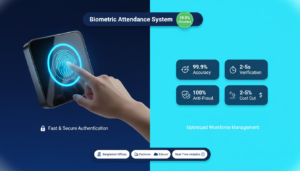
Biometric attendance systems solve this problem. They use your fingerprint or face to record when you come to work and when you leave. Nobody can cheat the system. Nobody can punch in for someone else. And everything gets recorded automatically.
In this guide, I will explain how biometric attendance works, why small businesses need it, and how to choose the right system. You will also learn how much it costs and how quickly you can save money after buying one.
What Is a Biometric Attendance System?
A biometric attendance system uses your unique body features to identify you. It could be your fingerprint, your face, or even your eye pattern. These features are different for every person, which makes the system very accurate.
Here is how it works:
An employee walks up to a small device near the office entrance. They put their finger on the scanner or look at the camera. The machine checks their fingerprint or face in less than one second. If it matches, the system records the time. All this information goes to a computer or the cloud automatically.
The best part? No paper. No manual entry. No mistakes.
Types of Biometric Systems for Attendance
There are three main types of biometric attendance systems used in small businesses:
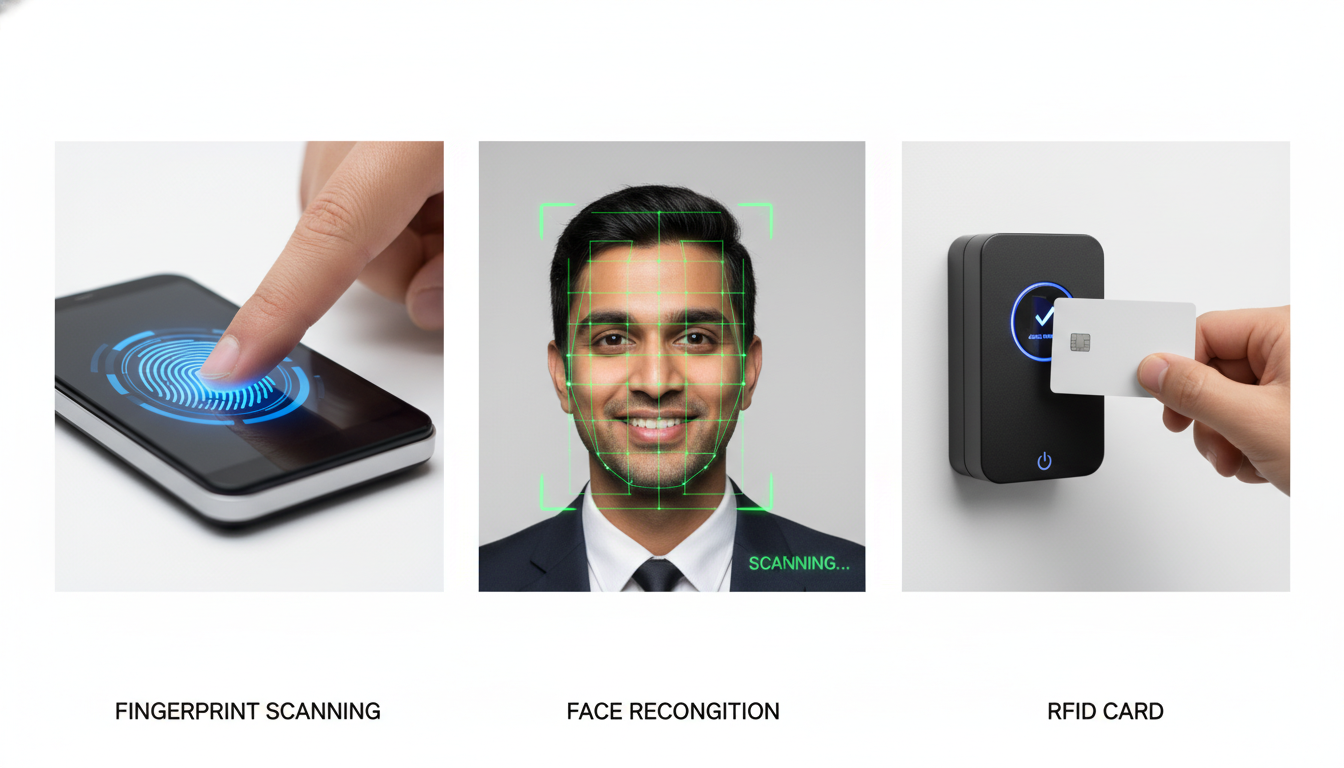
Fingerprint Scanners
This is the most popular type. Workers place their fingers on a glass scanner. The device reads the unique patterns on their fingertip and matches them with stored data. Modern fingerprint scanners work even if your hands are dirty or slightly wet.
According to a study by the National Institute of Standards and Technology, fingerprint recognition has an accuracy rate above 99% when used properly.
Face Recognition Devices
These devices use a camera to scan your face. You just look at the screen, and it identifies you. Face recognition is contactless, which means workers do not need to touch anything. This became very important during COVID-19 and remains popular in hospitals, restaurants, and food factories.
RFID Card Systems
RFID cards are not pure biometrics, but many businesses use them. Workers tap a personal card on a reader to clock in. This is more secure than old punch cards because each card is unique to one person.
How Cloud-Based Systems Changed Everything
Ten years ago, biometric systems needed big computers and IT experts to set them up. You had to buy servers, hire technicians, and deal with complicated software.
Now everything has changed.
Modern biometric devices connect directly to the internet. They can use WiFi, LAN cables, or even mobile SIM cards. The attendance data goes straight to the cloud. You can check it from your phone while sitting at home.
I have installed these systems in places without good electricity. The devices have battery backup. They keep working during power cuts and send data when the connection comes back. No server room needed. No IT staff required.
Why Small Businesses Need Biometric Attendance
Let me share a real example. A small garment factory with 40 workers was losing about 75,000 taka every month. How? Their workers were doing “buddy punching.” This means one worker punches the time card for another worker who is actually late or absent.
The owner knew something was wrong, but could not prove it. After installing fingerprint scanners, the problem stopped completely in the first week.
Problems with Manual Attendance Tracking
Manual attendance systems create several problems:
- Time theft through buddy punching: Workers clock in for absent friends
- Handwriting errors: Managers cannot read messy handwriting in registers
- Lost or damaged punch cards: Workers forget cards, or cards get torn
- Calculation mistakes: Adding up hours manually leads to payroll errors
- Time-consuming process: Managers waste hours every week on attendance
- No proof for disputes: When workers argue about their hours, you have no solid evidence
A report from the American Payroll Association found that buddy punching costs businesses up to 7% of their total payroll. For a small business paying 5 lakh taka monthly in salaries, that is 35,000 taka lost every month.
Benefits of Biometric Attendance for Small Businesses
When you install a biometric system, things change immediately:
Stops Time Theft Completely
You cannot fool a fingerprint scanner. Each person must use their own finger to clock in. Buddy punching becomes impossible.
Makes Payroll Accurate
The system counts total hours, overtime, and late arrivals automatically. What used to take 4 hours now takes 15 minutes. A school I worked with reduced its payroll time from 2 days to 3 hours each month.
Saves Administrative Time
No more chasing employees for timesheets. No more manual counting. No more filing cabinets full of old registers. Everything is digital and searchable.
Creates Better Records
Need attendance data from 6 months ago? You can get it in 30 seconds instead of searching through papers for 30 minutes. When labor inspectors visit, you can print reports for any time period instantly.
Reduces Costs
Beyond stopping time theft, you save money on:
- Punch cards and stationery
- Storage space for paper records
- Hours spent on manual calculations
- Mistakes that lead to overpayment
A retail business with 22 employees calculated their total savings at 1,20,000 taka per year after switching to biometric attendance.
Builds Professional Culture
When workers know their time is tracked accurately, they become more punctual. Managers can focus on work quality instead of policing attendance. The whole business operates more professionally.
Grows with Your Business
You can start with one device for 10 employees. Later, add more devices for new locations or more workers. The system grows as you grow. The cost per employee actually goes down as your business expands.
Important Features to Look for in a Biometric System
Many small business owners make one big mistake. They choose based on price only. Then they buy a cheap device that does not have the features they actually need.
Here is what really matters:
Hardware Features That Matter
Device Durability
Your work environment should match your device. A dusty factory needs industrial-grade equipment. An office with air conditioning can use standard devices. If you work with water or chemicals, get waterproof models.
Battery Backup
Power cuts are common in many areas of Bangladesh. Battery backup keeps your system running during outages. Some devices can work for 8-10 hours on battery alone.
Connectivity Options
- WiFi: Easy to set up, but can be unreliable
- LAN Cable: Very stable, but limits where you can place the device
- GPRS (SIM Card): Works anywhere with mobile network coverage
Choose based on what actually works in your location. I have installed systems in construction sites using SIM cards because they had no internet connection.
Storage Capacity
If you have 30 employees, get a device that can store at least 60-100 fingerprints. This gives you room to grow without buying a new device in 6 months.
Software Features You Cannot Ignore
Mobile App Access
Your system should have a mobile app. Managers need to see who is present right now. Employees should be able to check their attendance records and apply for leave from their phones.
At Tipsoi, we built a mobile app that both managers and workers use every day. It has become their main way to handle HR tasks.
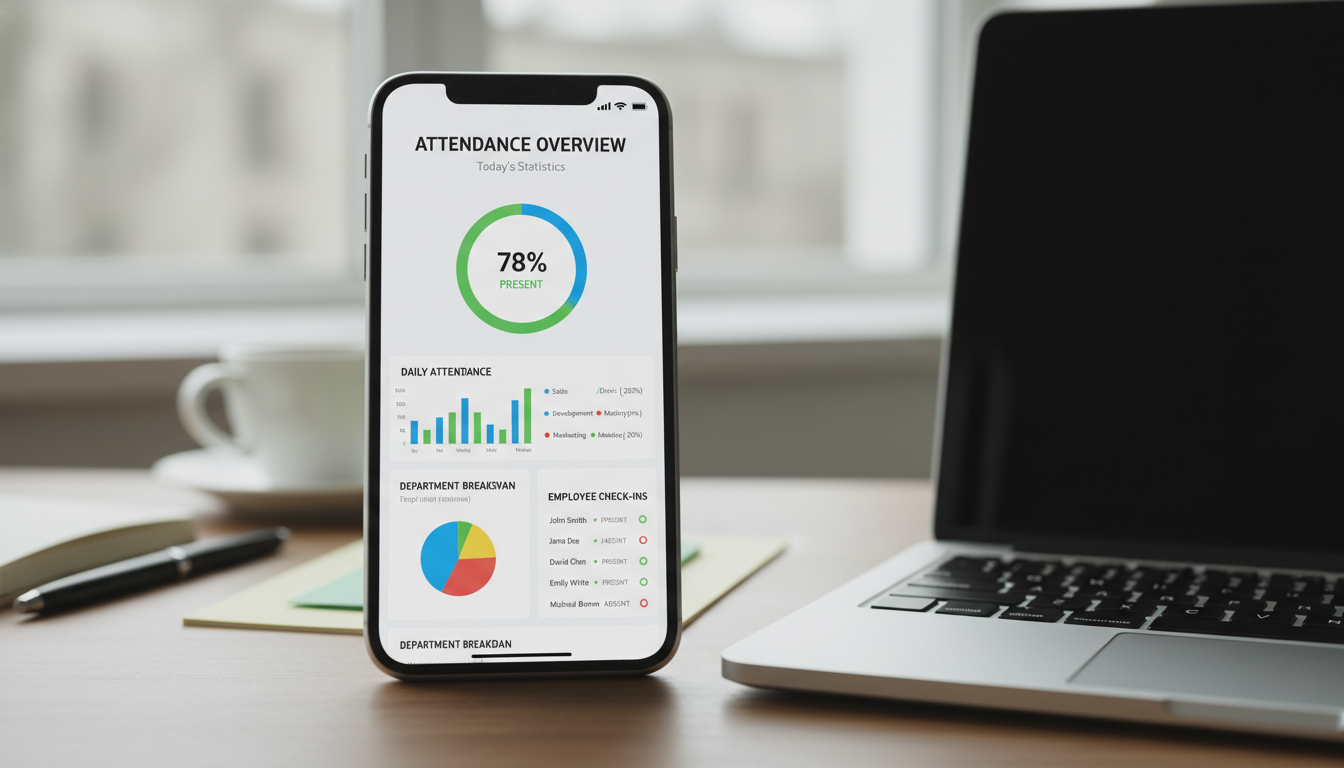
Real-Time Dashboard
You should see attendance data live, not at the end of the month. Which employees are late today? Who is working overtime? What is your team’s attendance percentage this week?
Real-time information helps you manage better. You can solve problems today instead of discovering them 30 days later.
Leave Management Connection
Your attendance system should connect with leave tracking. When an employee applies for leave through the app, it should show up in attendance reports automatically. No manual fixing needed.
Shift Scheduling
If you run multiple shifts, the system must handle complex schedules. It should flag employees working outside their scheduled hours and calculate shift pay differences automatically.
Payroll Integration
The ultimate time-saver is a direct connection to your payroll system. Attendance data should flow into salary calculations without manual transfer. Most good systems can connect to popular accounting software through APIs.
Easy to Use for Everyone
Simple Setup
Installation should take hours, not days. You should be able to set up and configure the device yourself without calling an IT expert.
Quick Training
Your employees should learn to use the device in 2 minutes. Your managers should master the software in 1 hour. If it takes longer, the system is too complicated.
Clear Interface
Can you generate a monthly report without reading a manual? Can employees check their leave balance without calling support? Good design makes these things obvious.
How to Implement Biometric Attendance in Your Small Business

The best biometric system will fail if you set it up wrong. I have fixed many failed installations. Usually, the problem is not the technology. It is how the business implemented it.
Step 1: Assess Your Real Needs
Count Your Current Employees
Start with today’s headcount, not your 3-year plan. You can add devices later. I have seen businesses buy capacity for 100 employees when they only have 15 people.
Check Your Work Environment
Be honest about your conditions. An air-conditioned office is different from a factory floor with oil and dust. I once installed face recognition in a flour mill. After 2 weeks, flour dust covered the cameras. We switched to fingerprint devices with protective covers.
Test Your Internet
Is your WiFi reliable? Do you have LAN ports near the entrance? Is mobile network coverage good? Pick a connectivity method that actually works in your location.
Calculate Your Budget
Think about total cost, not just the device price:
- Device cost
- Installation charges
- Training time
- Monthly software fees
- Technical support
Step 2: Choose and Install Your System
Pick the Right Device
For most small businesses with under 50 employees, one device with both fingerprint and face recognition gives you flexibility. Match your choice to your actual needs, not the most expensive option.
Installation Process
Modern cloud-based devices are easy to install:
- Mount the device near your entrance
- Connect to power and the internet
- Run the setup wizard on the screen
This usually takes less than 1 hour. Our Tipsoi devices are designed for business owners to install themselves.
Register Your Employees
You need to scan each employee’s fingerprint or take their photo. This takes about 2 minutes per person. Do it during regular work hours instead of making everyone stay late.
Run a Test Period
Keep your old system running alongside the new one for 2 weeks. Compare results every day. This catches any problems before you fully switch over. It also shows employees that the new system works correctly.
Step 3: Follow Best Practices
Write Clear Policies First
Before you turn on the system, decide:
- What counts as being late?
- How is overtime approved?
- When can employees clock in before their shift?
- What happens if someone forgets to clock out?
Technology enforces rules. It does not create them. Put your policies in writing and share them with everyone.
Communicate with Your Team
Hold a meeting to explain the change. Tell them:
- Why are you implementing this (for accuracy and fairness, not to spy on them)
- How the system works
- How it helps them (faster salary processing, clear leave records)
Address privacy concerns directly. Explain that fingerprint templates cannot be turned back into actual fingerprints. The data is encrypted and secure.
Maintain the System Regularly
Simple maintenance prevents most problems:
- Clean fingerprint sensors once a month
- Check the internet connection every week
- Update software when you get notifications
- Replace batteries in portable devices as needed
Protect Your Data
Your attendance records contain personal information. Keep them secure:
- Use strong passwords for admin access
- Enable two-factor authentication if available
- Make sure data is encrypted during storage and transfer
- Give access only to people who need it
Real Examples from Different Types of Businesses
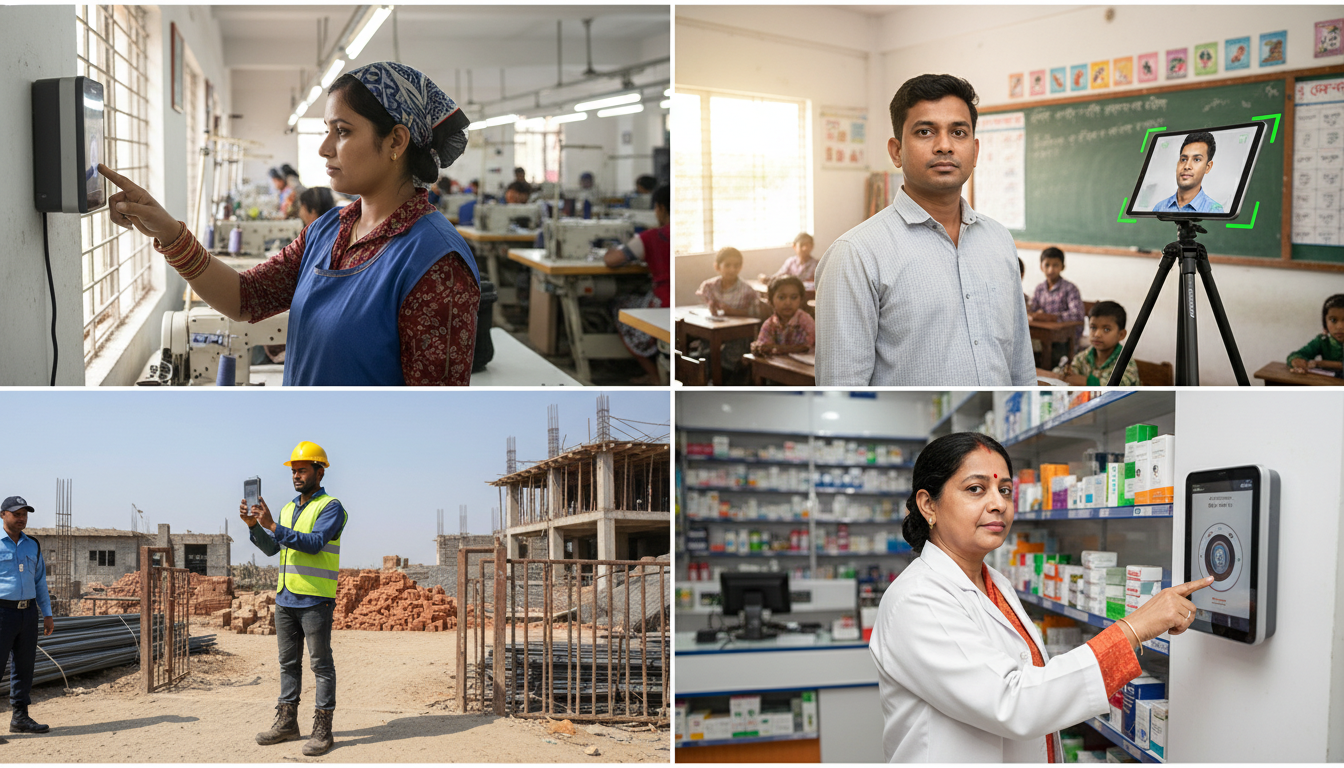
Different industries use biometric attendance in different ways. Here are real examples:
Corporate Offices
A consulting company with 3 offices installed a cloud-based system. Their HR director can now see attendance from all locations on one screen. When they needed records for an audit, they generated reports in minutes instead of days.
Manufacturing and Factories
A garment factory with 320 workers was spending a huge time on manual attendance. After installation, they discovered their actual attendance rate was 6% lower than paper records showed. This saved them significant money every month. The system also flags overtime violations automatically, helping them follow labor laws.
Schools and Colleges
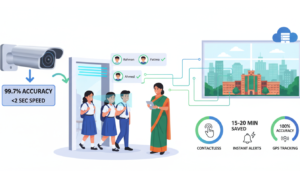
A private school uses biometric attendance for 48 teachers and 850 students. Parents get automated messages when children arrive and leave school. Teacher attendance improved by 12% just from increased accountability.
Construction Sites
Construction sites need tough solutions. I have installed devices on ships and remote building sites. They use SIM card connectivity with battery backup. Site managers can check worker presence without visiting every location.
Retail Stores
A pharmacy chain with 6 locations struggled with shift swaps and coverage gaps. Their biometric system alerts managers when someone clocks in for a shift they are not scheduled for. This prevents unauthorized overtime and staffing problems.
Cost and Return on Investment
Here is the truth about costs: the device price is usually the smallest part of your total investment. Many businesses focus only on negotiating the device price. They ignore setup costs, training time, and ongoing support.
What You Will Spend
For a small business with 10-30 employees, you typically need:
| Item | Cost Range (BDT) |
|---|---|
| Biometric device (1-2 units) | 25,000 – 60,000 |
| Installation and setup | 5,000 – 15,000 |
| Initial training | Usually free |
| Monthly cloud subscription | 500 – 2,000 per device |
How Much You Will Save
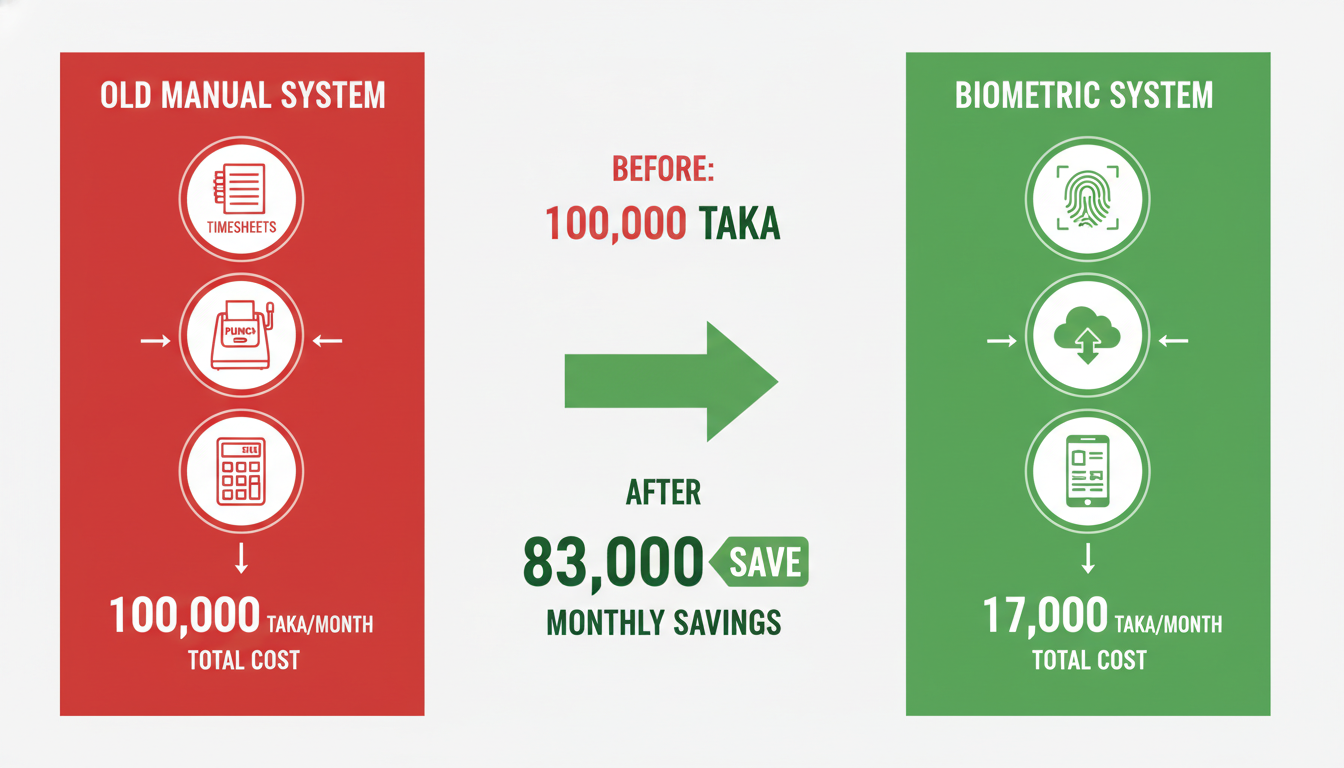
Real numbers from a 40-employee manufacturing company:
Monthly Savings:
- Stopped time theft: 60,000 taka (they were losing 4% of payroll to buddy punching)
- Reduced payroll processing time: 15,000 taka (12 hours of work saved)
- Avoided overtime disputes: 8,000 taka
- Total monthly savings: 83,000 taka
Annual savings: Almost 10 lakh taka
Their total system cost was 1,45,000 taka. They got their money back in less than 2 months.
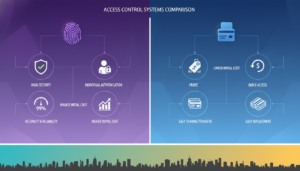
Comparing with Old Systems
Punch Card Systems:
- Cards cost 5-10 taka each per month
- Need physical storage space
- Someone must collect and process them
- Cards get lost or damaged regularly
- Easy to manipulate
Manual Register Books:
- Seems free but costs a huge time
- Prone to handwriting errors
- Difficult to search old records
- No backup if the book is lost
- Cannot generate automated reports
How Fast You See Results
Most small businesses achieve full return on investment in 3 to 6 months. Businesses with high previous time theft see results faster. Those mainly looking for administrative efficiency may take 6 to 12 months but get major improvements in work quality.
According to research from Nucleus Research, companies that implement time and attendance automation see an average ROI of 245% over three years.
Common Questions About Biometric Attendance
Is biometric attendance legal in Bangladesh?
Yes, biometric attendance systems are completely legal in Bangladesh. Many large companies and government organizations use them. Just make sure you inform employees about data collection and get their consent during enrollment.
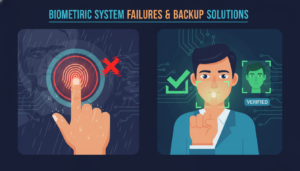
What happens if someone’s fingerprint does not work?
Modern devices have multiple authentication methods. If fingerprints do not work (due to cuts, very dry skin, or worn fingerprints), employees can use face recognition or RFID cards as backup. Good systems always have alternative options.
Can the system work without the internet?
Yes. Devices store attendance data locally. When the internet connection returns, they automatically upload everything to the cloud. Some businesses in remote areas sync data only once per day when they have connectivity.
How secure is my employee data?
Biometric systems do not store actual fingerprints or photos. They convert them into mathematical templates that cannot be reversed back into the original image. This data is encrypted during storage and transfer. Even if someone steals the data, they cannot use it.
What if there is a power cut?
Devices with battery backup continue working during power cuts. They can run for 6-10 hours on battery, depending on the model. When power returns, they recharge automatically.
Can employees clock in from home?
Standard biometric devices work only where they are installed. However, some systems have mobile apps with GPS verification. Employees can clock in from their phones, and the system records their location. This works well for field staff and sales teams.
How long does the device last?
Good quality biometric devices last 5-7 years with regular maintenance. Fingerprint sensors may need replacement after heavy use, but this is a minor cost compared to the system benefits.
What happens to data if I change providers?
Most cloud systems let you export your data in standard formats like Excel or CSV. You can take your historical records with you if you switch providers. Always check this before buying a system.
Can I integrate this with my existing software?
Most modern biometric systems have APIs that connect to popular HR and accounting software. At Tipsoi, we have built integrations with most software used in Bangladesh. Check with your provider about specific compatibility.
Is training difficult for older employees?
No. Using a biometric device is simpler than using a smartphone. Employees just place their finger or look at the camera. Most people learn it in one try. I have installed systems in factories where workers have zero computer experience, and they adapted within a day.
Making the Right Choice for Your Business
Biometric attendance systems are not just for large corporations anymore. They have become affordable and essential for businesses of all sizes. Whether you manage a team of 10 or 100, accurate time tracking saves money, reduces headaches, and creates accountability.
The technology is proven and ready. Companies like BRAC, Meghna Group, and Radiant Pharmaceuticals use biometric attendance. Small businesses across Bangladesh are seeing results within weeks of installation.
Here is what you should do next:
Step 1: Look at your current attendance system. How much time do you spend on attendance each week? How much money might you be losing to time theft or errors?
Step 2: Calculate your potential savings. Even if you only save 2-3% of payroll costs, that adds up quickly over a year.
Step 3: Research providers. Look for companies with good support, proven devices, and cloud-based systems. Check if they offer trials or demos.
Step 4: Start small. You do not need to automate everything on day one. Begin with basic attendance tracking and add features as you get comfortable.
The businesses that will succeed in the coming years are those that use technology smartly. Biometric attendance is not about surveillance or distrust. It is about accuracy, fairness, and efficiency.
Your employees deserve accurate paychecks. You deserve to spend your time growing your business instead of fixing timesheet problems. Biometric attendance makes both of these things possible.
If you want to learn more about how biometric systems work for Bangladeshi businesses, visit Tipsoi.pro. We offer solutions built specifically for local needs, with support in Bangla and English.
The question is not whether biometric attendance makes sense for your small business. The question is how much longer you want to waste time and money on manual systems that do not work well.